> For the complete documentation index, see [llms.txt](https://guide.moontrader.com/llms.txt). Markdown versions of documentation pages are available by appending `.md` to page URLs; this page is available as [Markdown](https://guide.moontrader.com/en-moontrader-docs/tips-and-recommendations/connecting-binance-via-ed25519-keys.md).
# Connecting Binance via Ed25519 Keys
### What is Ed25519 and why do you need it
Binance supports two types of API keys: standard (HMAC) and Ed25519.
Ed25519 is a cryptographic key based on an elliptic curve. It is more secure than the standard type: it is harder to brute-force, and request signing is faster.
The key difference from a regular API key: you generate the key pair (private + public) yourself inside MoonTrader, and only the public key is shared with Binance. The private key never leaves your computer.
### Section 1. Connecting via Client
#### Step 1. Create a Profile
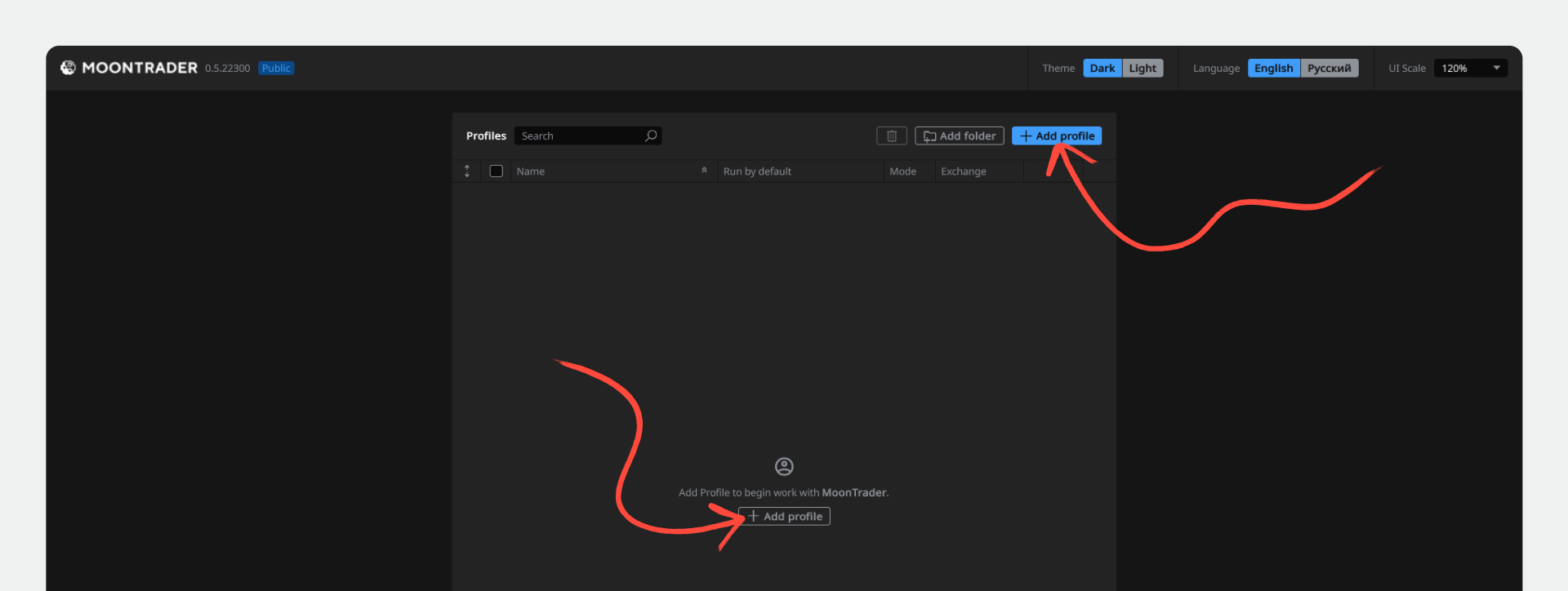
1. Open MoonTrader Client.
2. Click "Add Profile".
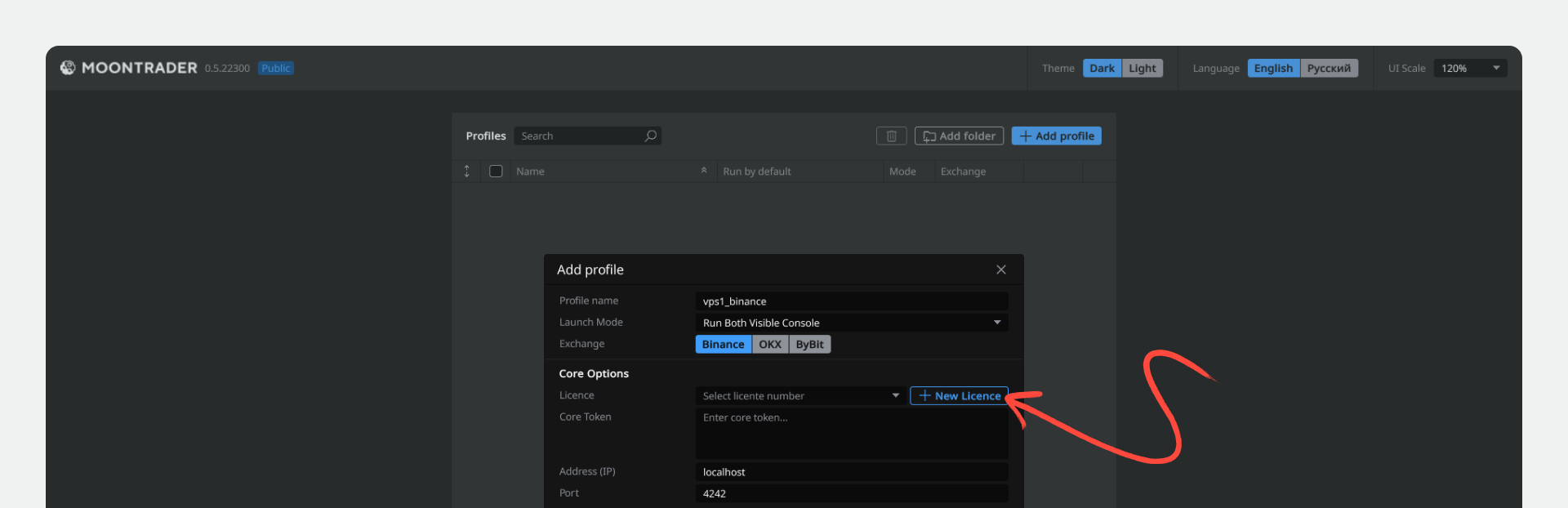
3. Enter a profile name.
4. Leave the exchange set to "Binance" — it is selected by default.
#### Step 2. Create a License
1. Click "New License".
2. Select the type "Self-generated".
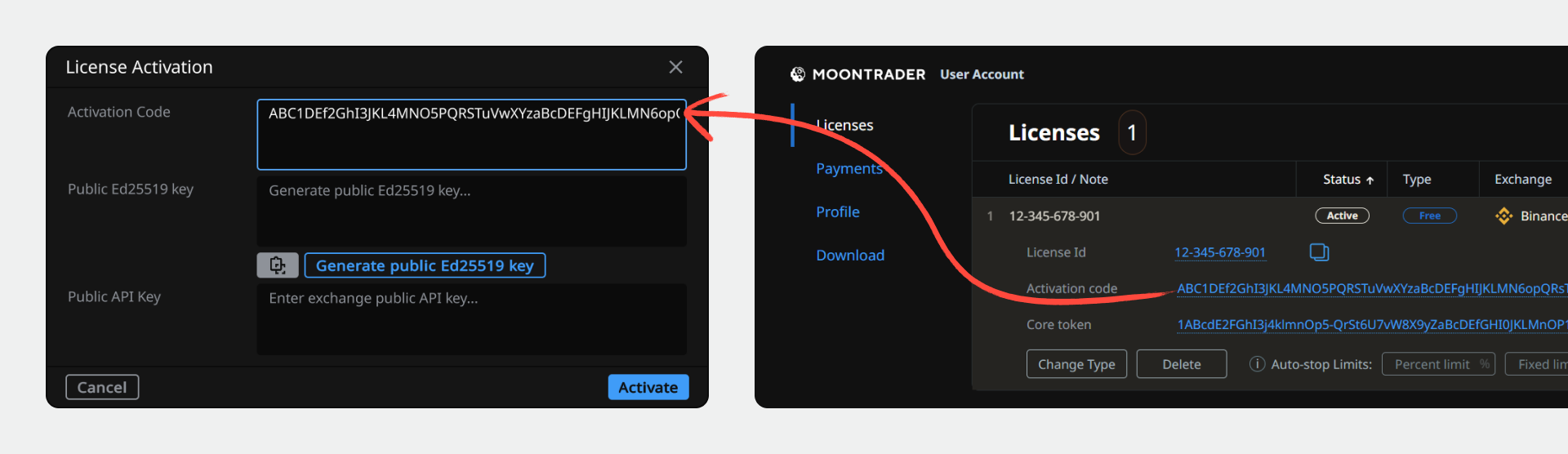
3. Go to [moontrader.com](http://moontrader.com) and log in to your account.
4. Click "Get License" if you don't have one yet. If you already have a license — copy the activation code from your personal account.
#### Step 3. Activate the License
1. Paste the activation code into the "Activation Code" field.
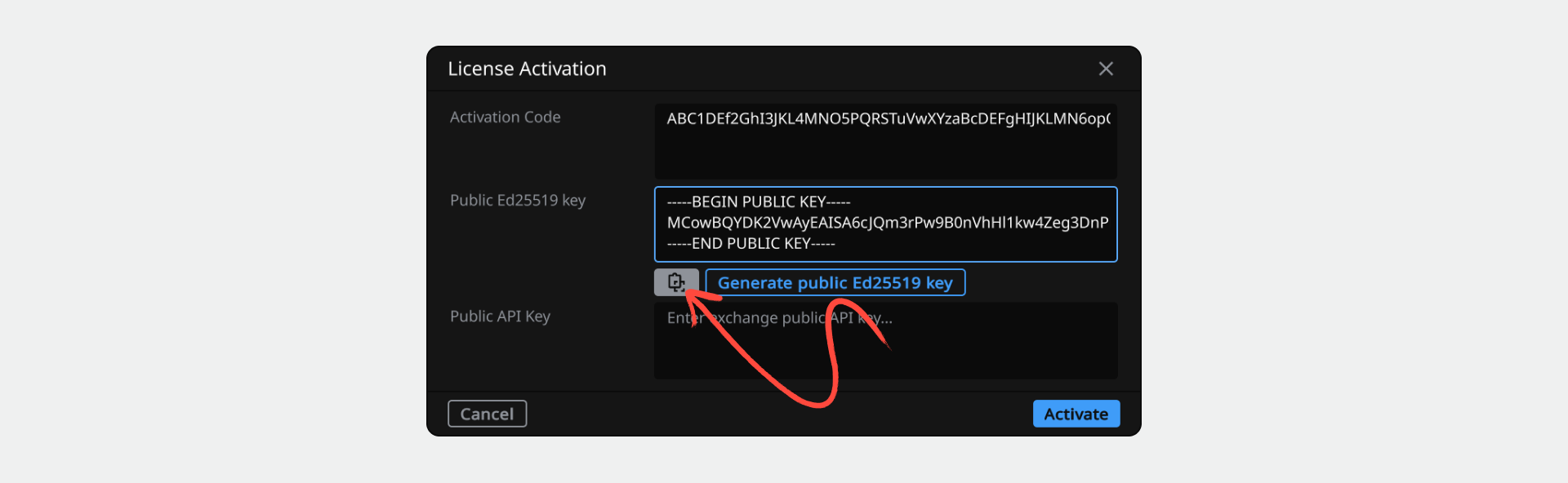
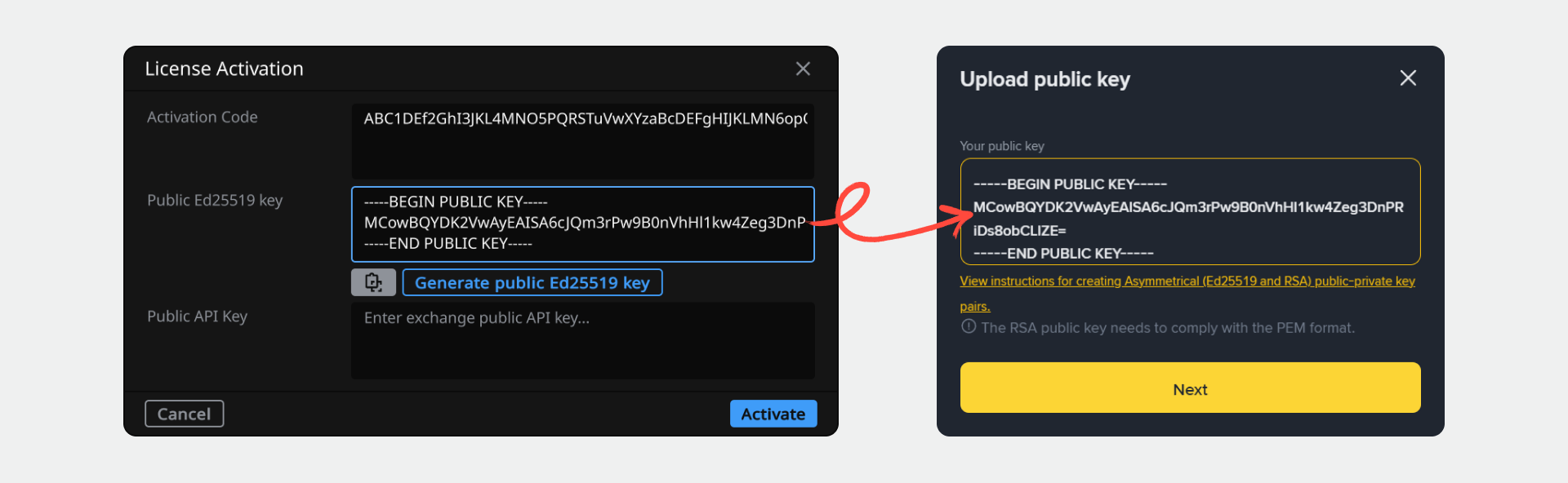
2. Click "Generate Public Ed25519 Key".
3. Copy the generated public key — you will need it in the next step.
> ⚠️ Do not close the Client until all steps are complete. The public key is valid only for the current activation session.
#### Step 4. Create an API Key on Binance
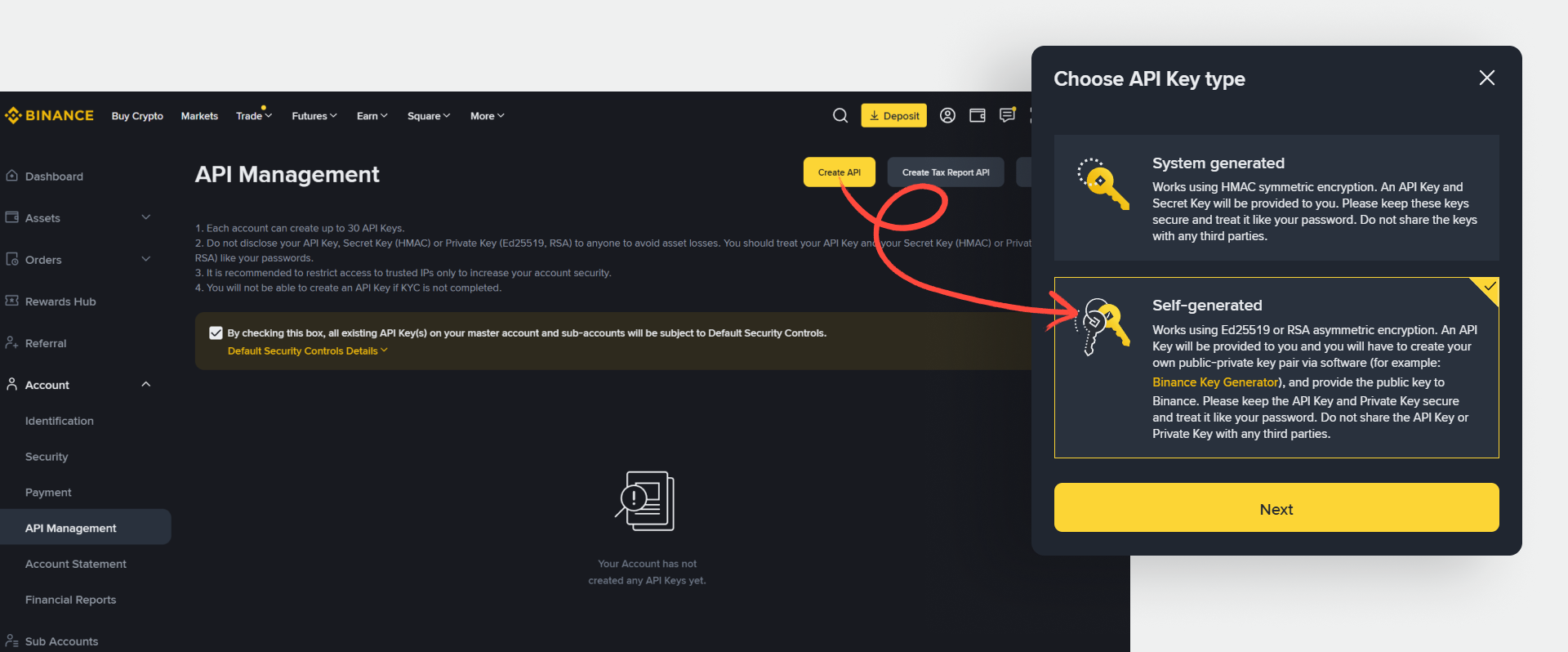
1. Log in to Binance and go to "Account" → "API Management".
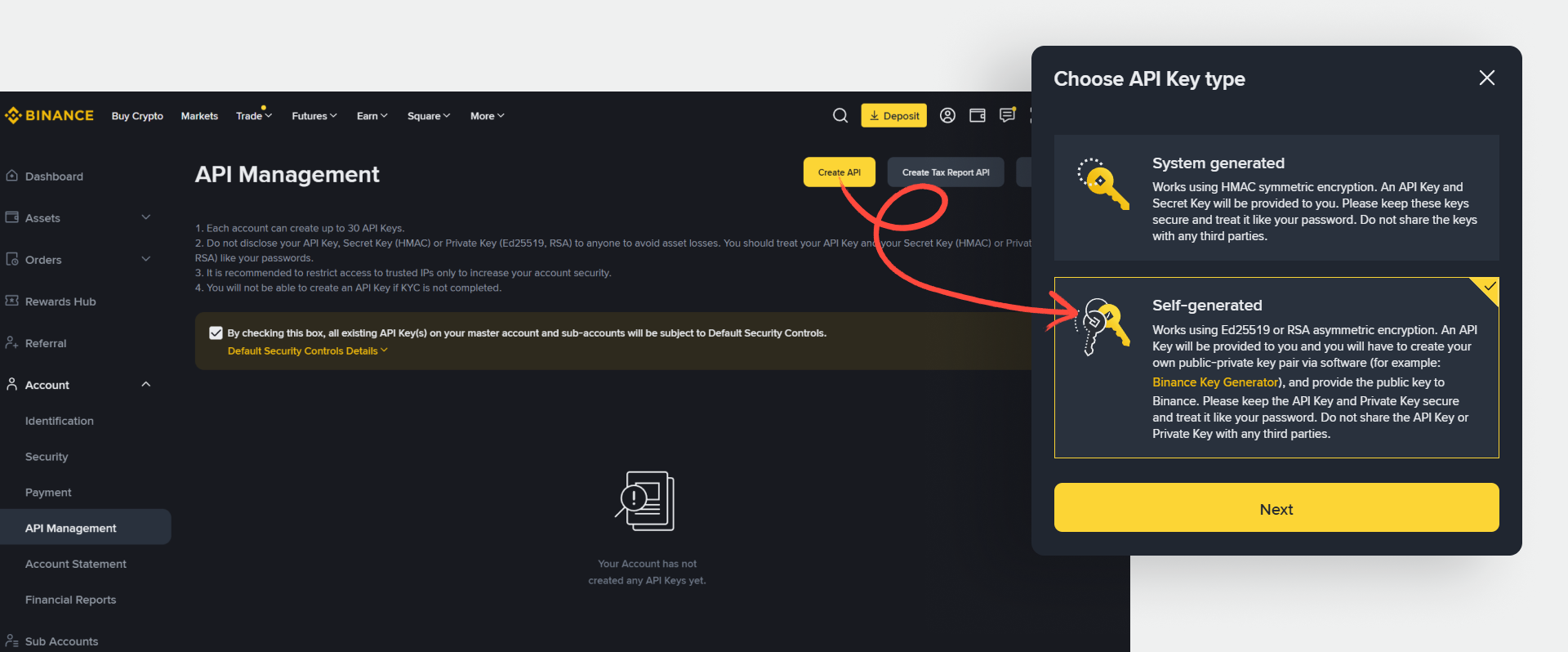
2. Click "Create API".
3. Select the type "Self-generated" and click "Next".
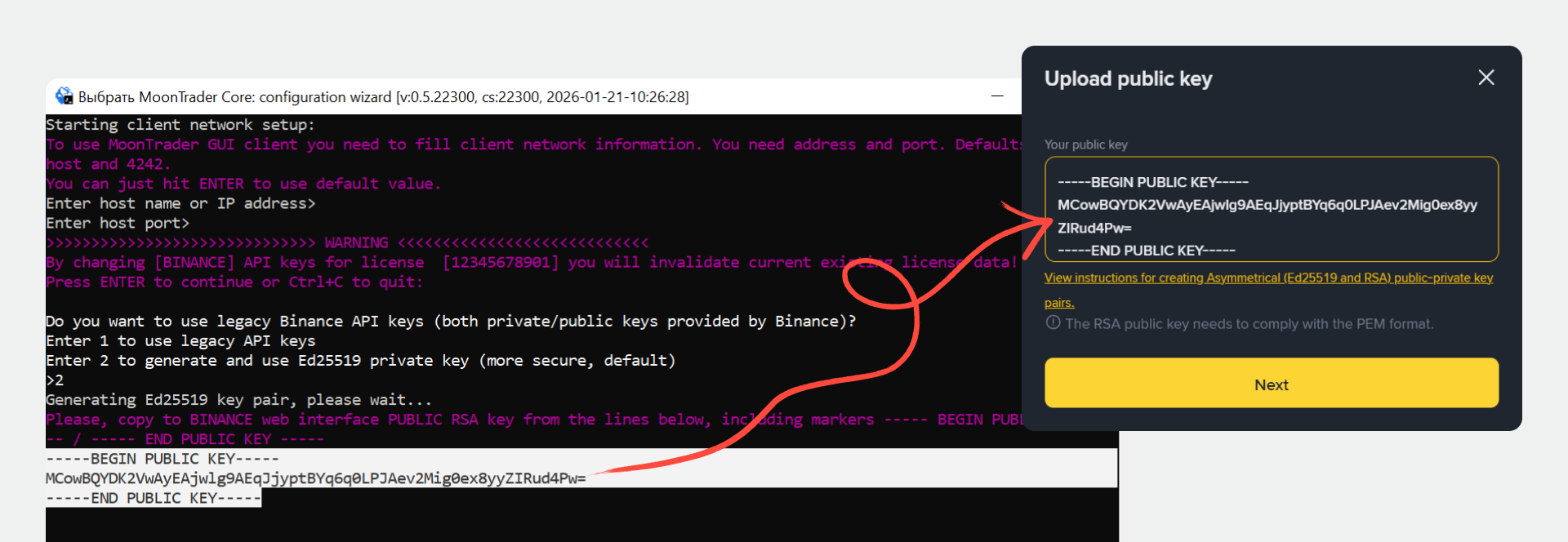
4. Paste the copied public Ed25519 key into the field and click "Next".
5. Enter a name for the API key and click "Next".
6. Complete verification (code from email / SMS / authenticator).
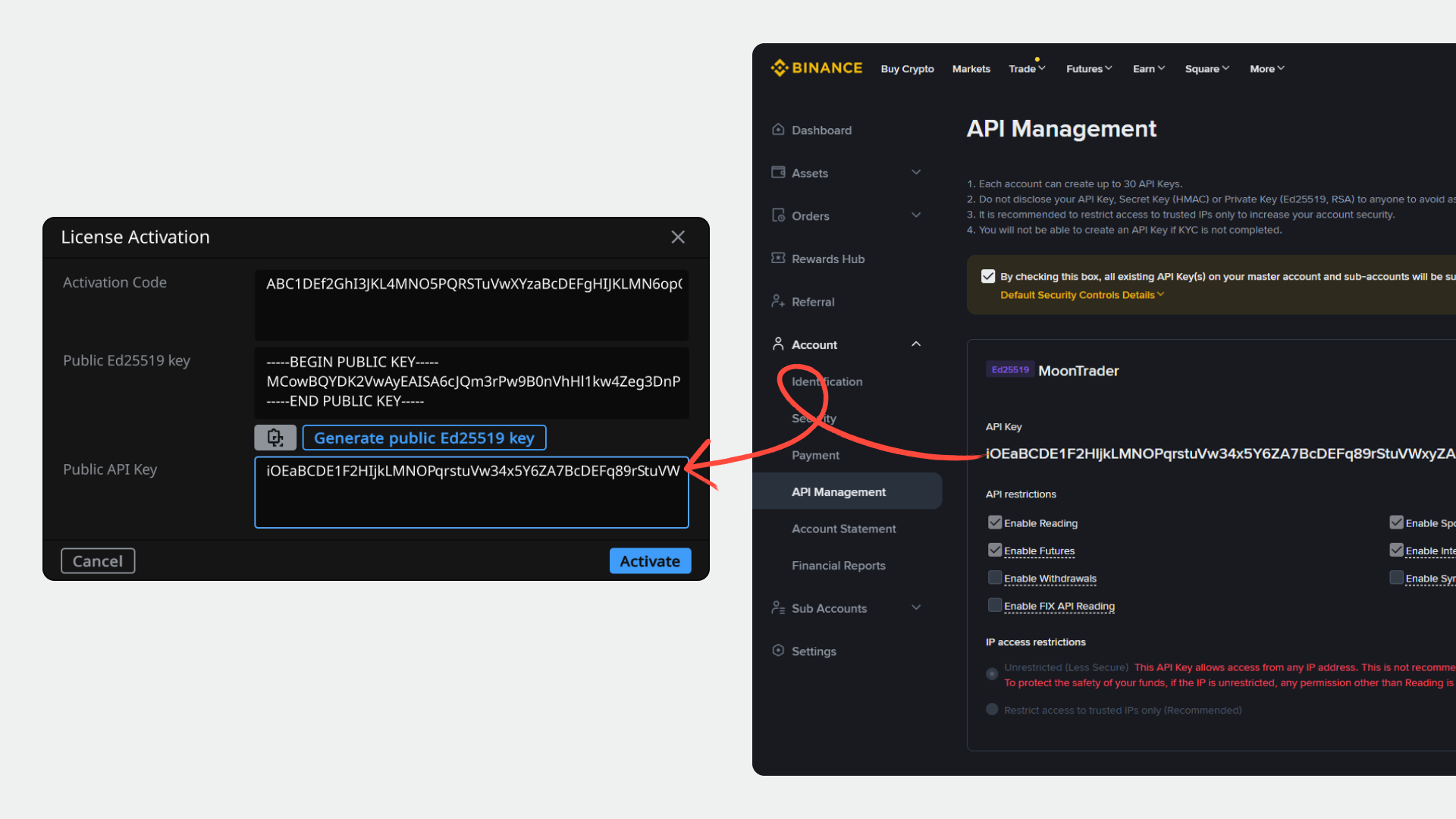
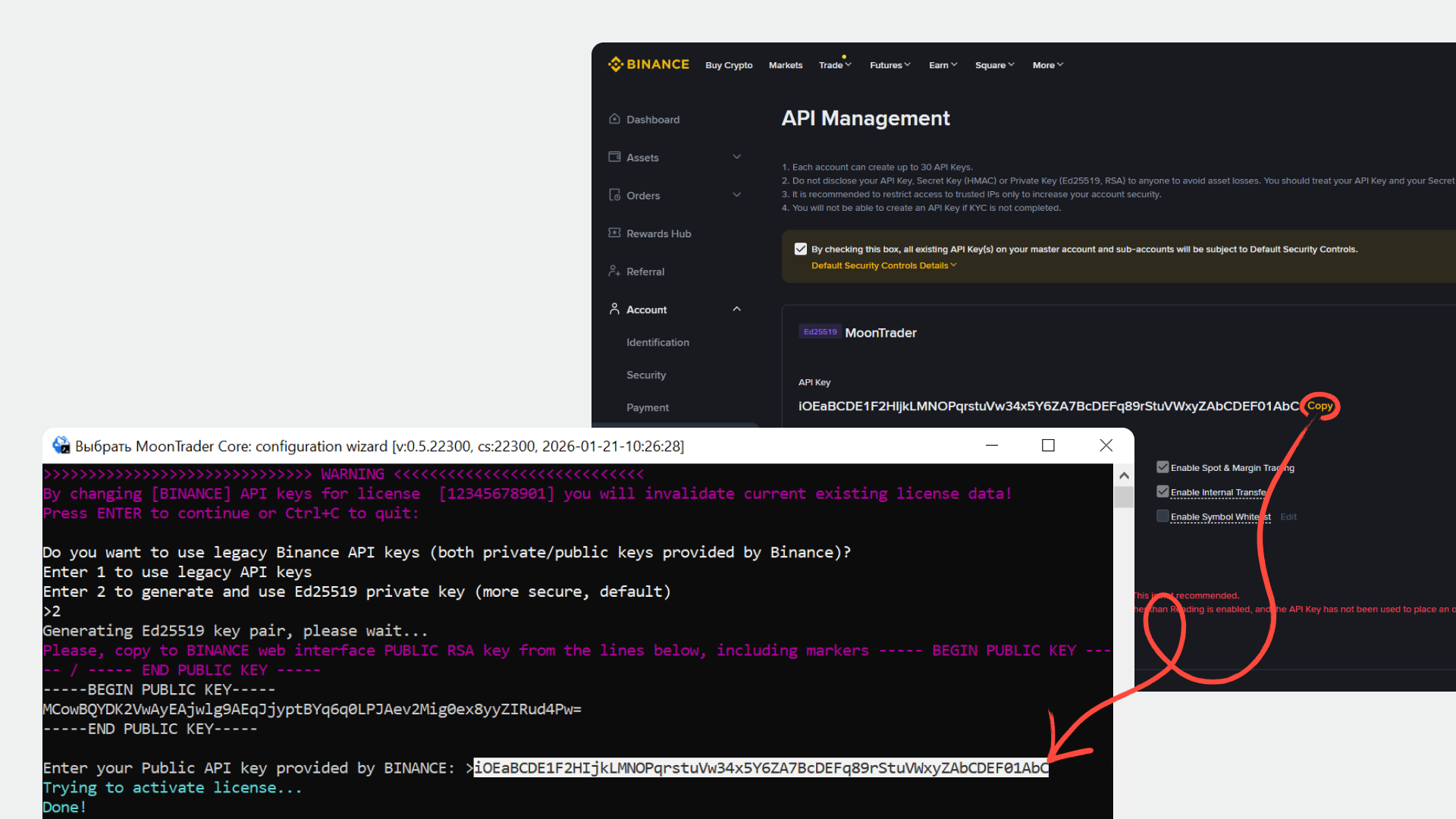
7. After creation, you will see the API key. If you need to configure permissions (e.g., futures trading) — click "Edit Restrictions", check the required options, and save.
8. Copy the created API Key.
#### Step 5. Complete Activation in Client
1. Return to MoonTrader Client.
2. Paste the copied API Key into the "Public API Key" field.
3. Click "Activate".
4. The license has been successfully added — the status will change to active.
5. Complete adding the profile in the standard way.
***
### Section 2. Connecting via Core (Console Mode)
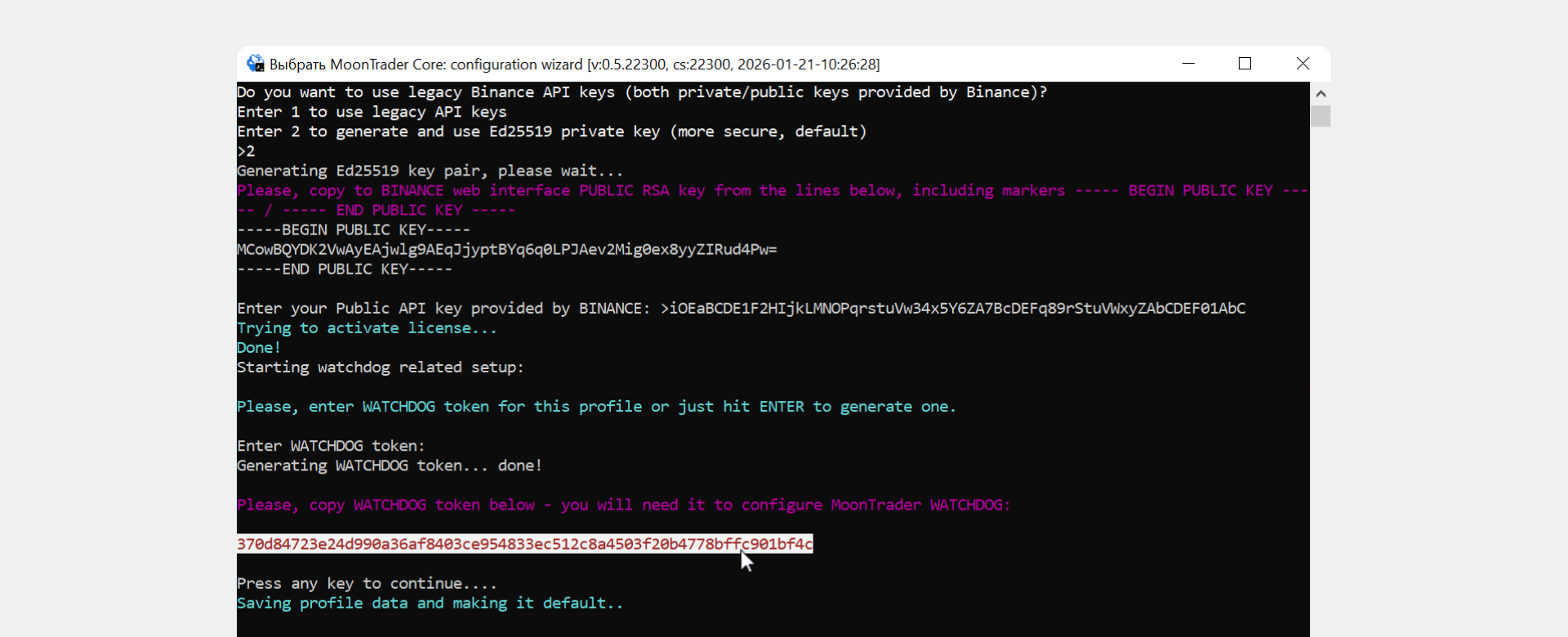
Core runs as a console application and is configured by entering commands step by step.
#### Step 1. Launch Core
1. Run the MTCore.
2. Enter a name for the new profile and press Enter.
#### Step 2. Get a License
1. Go to [moontrader.com](http://moontrader.com) and log in to your account.
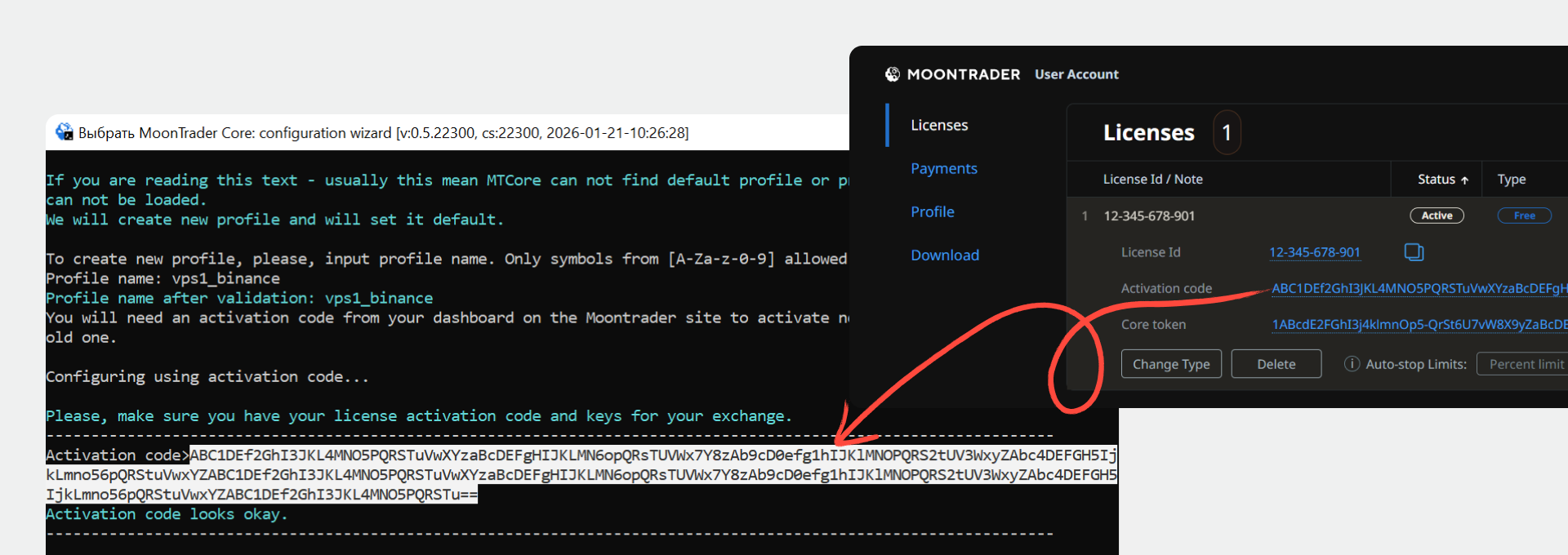
2. Click "Get License" if you don't have one, or copy the activation code from your personal account.
3. Paste the activation code into the console and press Enter.
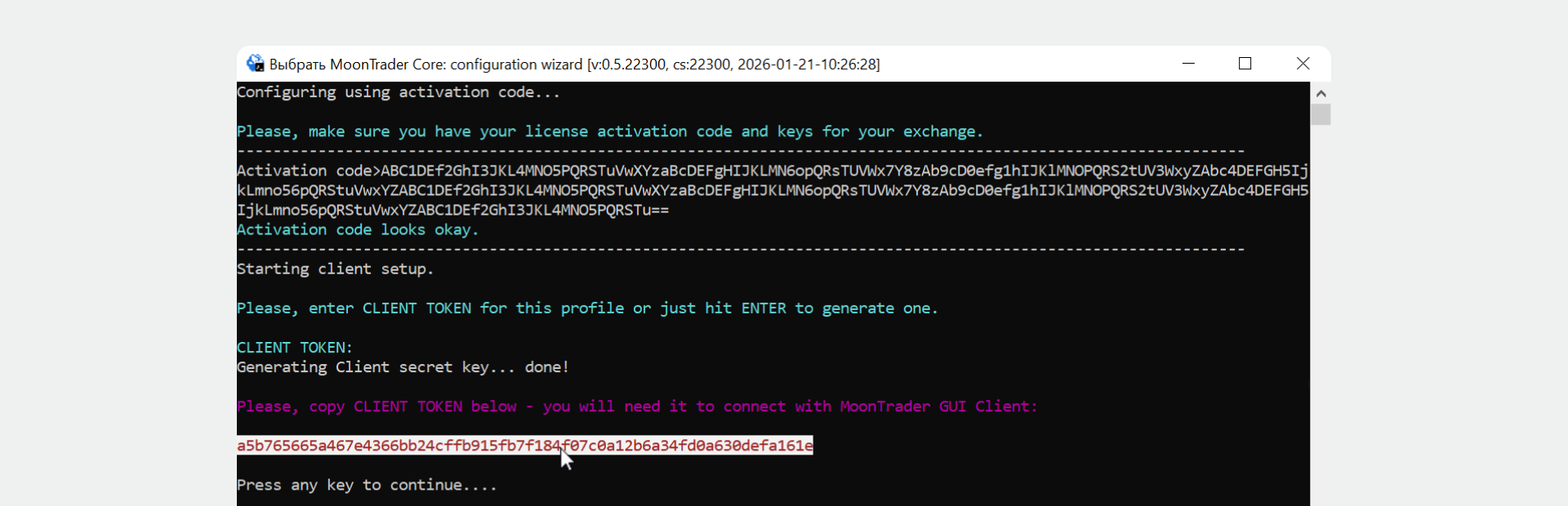
#### Step 3. Set Up a Client Token
1. Enter the desired Client Token or press Enter to generate one automatically.
2. Copy the displayed token — you will need it to connect via the interface.
3. Press Enter to continue.
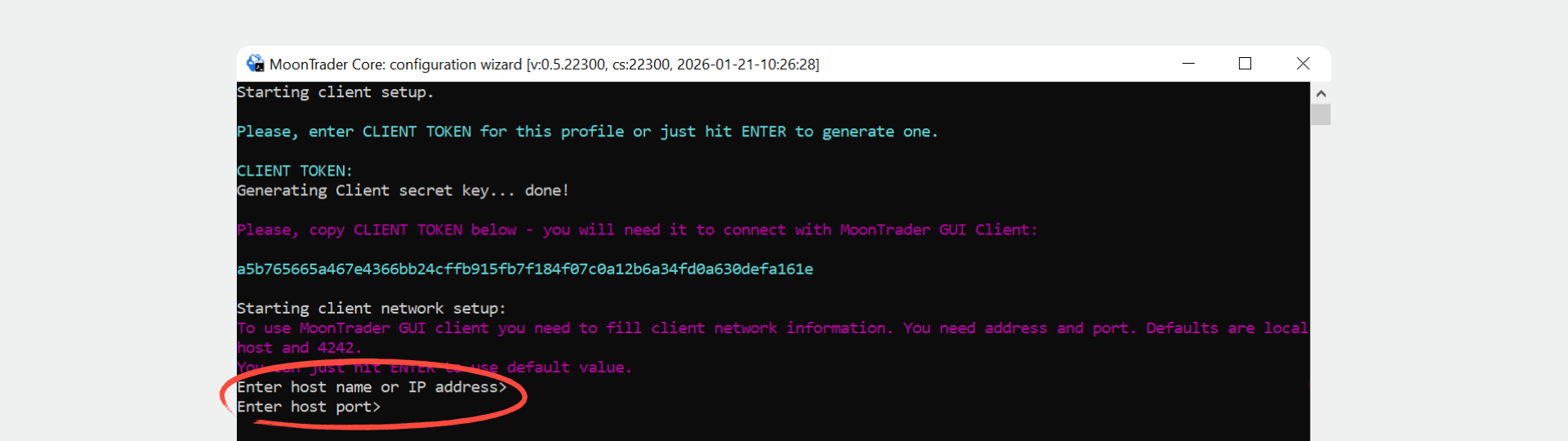
#### Step 4. Enter Address and Port
Enter the IP address and port, or press Enter to use the default values: localhost and port 4242.
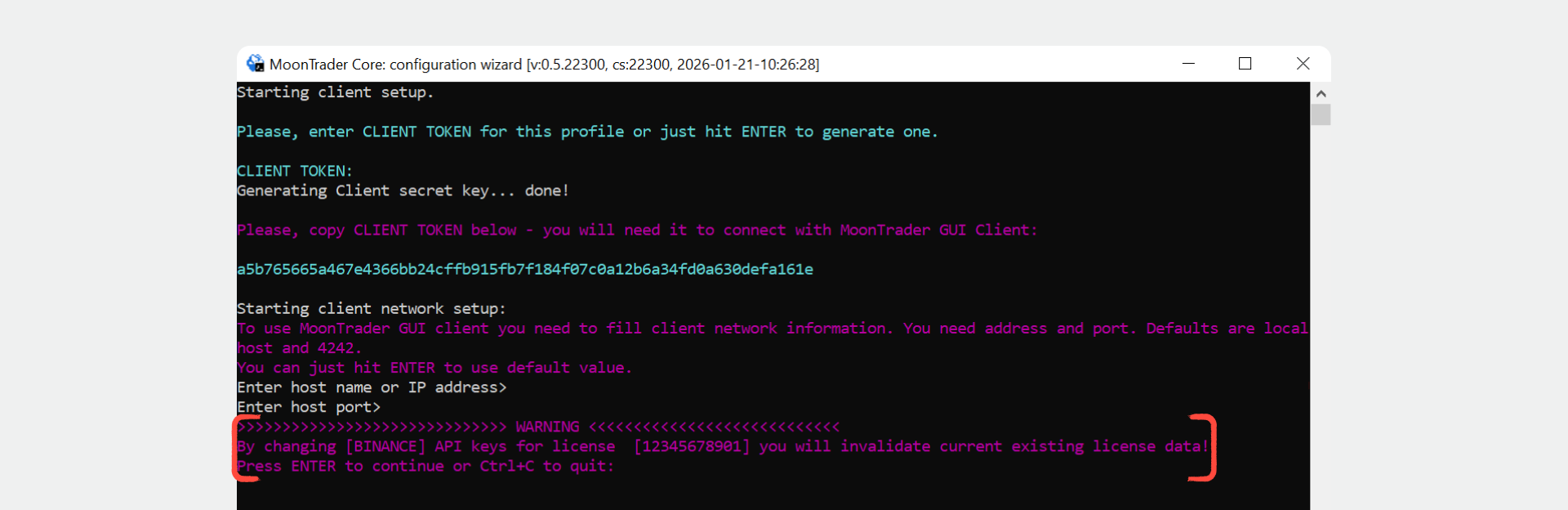
#### Step 5. Confirm API Key Replacement
1. The console will show a warning: "Changing API keys will invalidate existing license data".
2. Press Enter to continue.
3. Press Ctrl+C to cancel and exit.
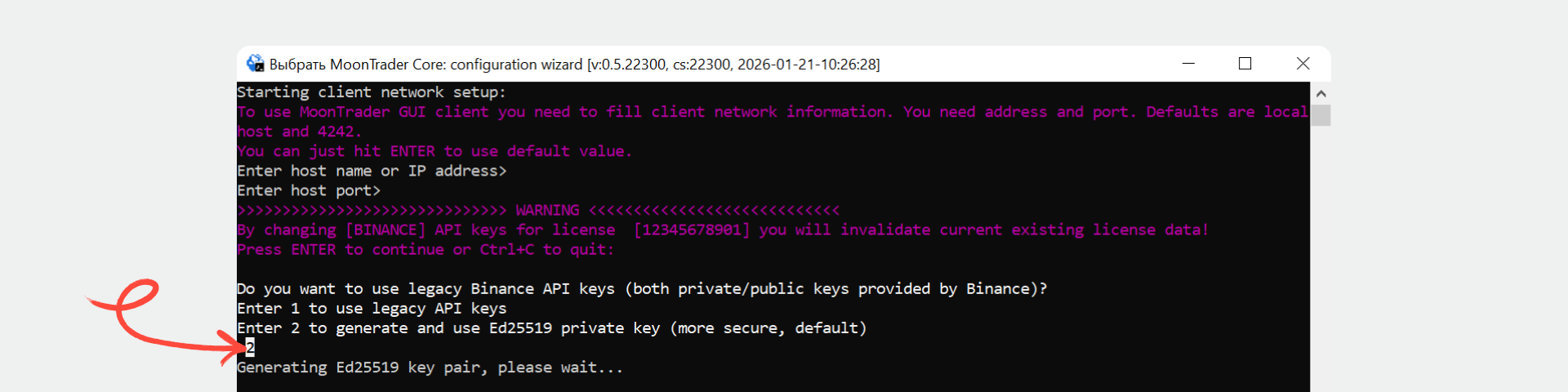
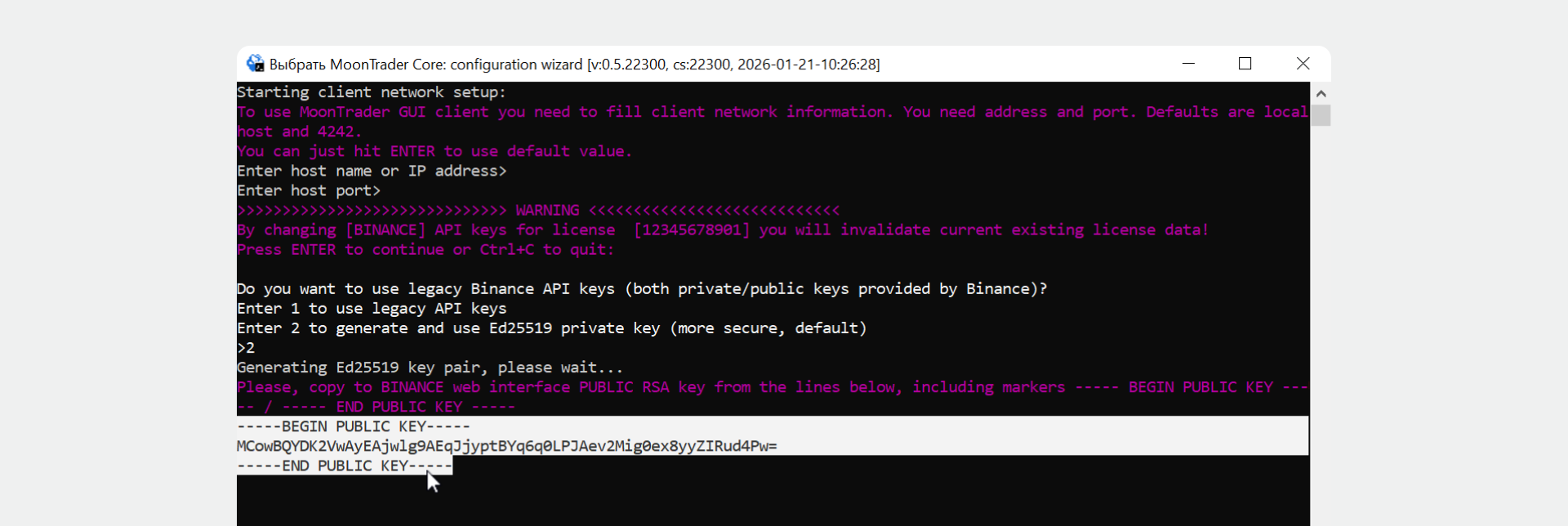
#### Step 6. Select API Key Type and Get the Ed25519 Key
1. When the console asks for the API key type — enter **2** (Ed25519) and press Enter.
2. Copy the displayed public Ed25519 key. Make sure to copy the key in full, including the markers `----BEGIN PUBLIC KEY-----` and `----END PUBLIC KEY-----`.
#### Step 7. Create an API Key on Binance
Perform the same steps as in Section 1, Step 4:
1. Log in to Binance → "Account" → "API Management".
2. Click "Create API" → "Self-generated" → "Next".
3. Paste the public Ed25519 key → "Next".
4. Enter a key name → "Next".
5. Complete verification.
6. Copy the created API Key.
#### Step 8. Complete Activation in Core
Paste the copied API Key into the console and press Enter.
#### Step 9. Set Up a Watchdog Token
1. Enter the desired Watchdog Token or press Enter to generate one automatically.
2. Copy the displayed token — it is used for monitoring via Watchdog.
3. Press Enter to finish.
Setup is complete. Core is running and ready to use.
---
# Agent Instructions
This documentation is published with GitBook. GitBook is the documentation platform designed so that both humans and AI agents can read, navigate, and reason over technical content effectively. Learn more at gitbook.com.
## Querying This Documentation
If you need additional information that is not directly available in this page, you can query the documentation dynamically by asking a question.
Perform an HTTP GET request on the current page URL with the `ask` query parameter, and the optional `goal` query parameter:
```
GET https://guide.moontrader.com/en-moontrader-docs/tips-and-recommendations/connecting-binance-via-ed25519-keys.md?ask=&goal=
```
`ask` is the immediate question: it should be specific, self-contained, and written in natural language.
`goal` is optional and describes the broader end goal you are ultimately trying to accomplish on behalf of the user. GitBook uses it to tailor the answer towards what is most useful for that goal.
The response will contain a direct answer to the question and relevant excerpts and sources from the documentation.
Use this mechanism when the answer is not explicitly present in the current page, you need clarification or additional context, or you want to retrieve related documentation sections.