> For the complete documentation index, see [llms.txt](https://guide.moontrader.com/llms.txt). Markdown versions of documentation pages are available by appending `.md` to page URLs; this page is available as [Markdown](https://guide.moontrader.com/nachalo-raboty/rabota-s-birzhei/poluchenie-api-klyuchei-dlya-torgovli/poluchenie-api-klyuchei-dlya-okx.md).
# Получение API ключей для OKX
{% hint style="warning" %}
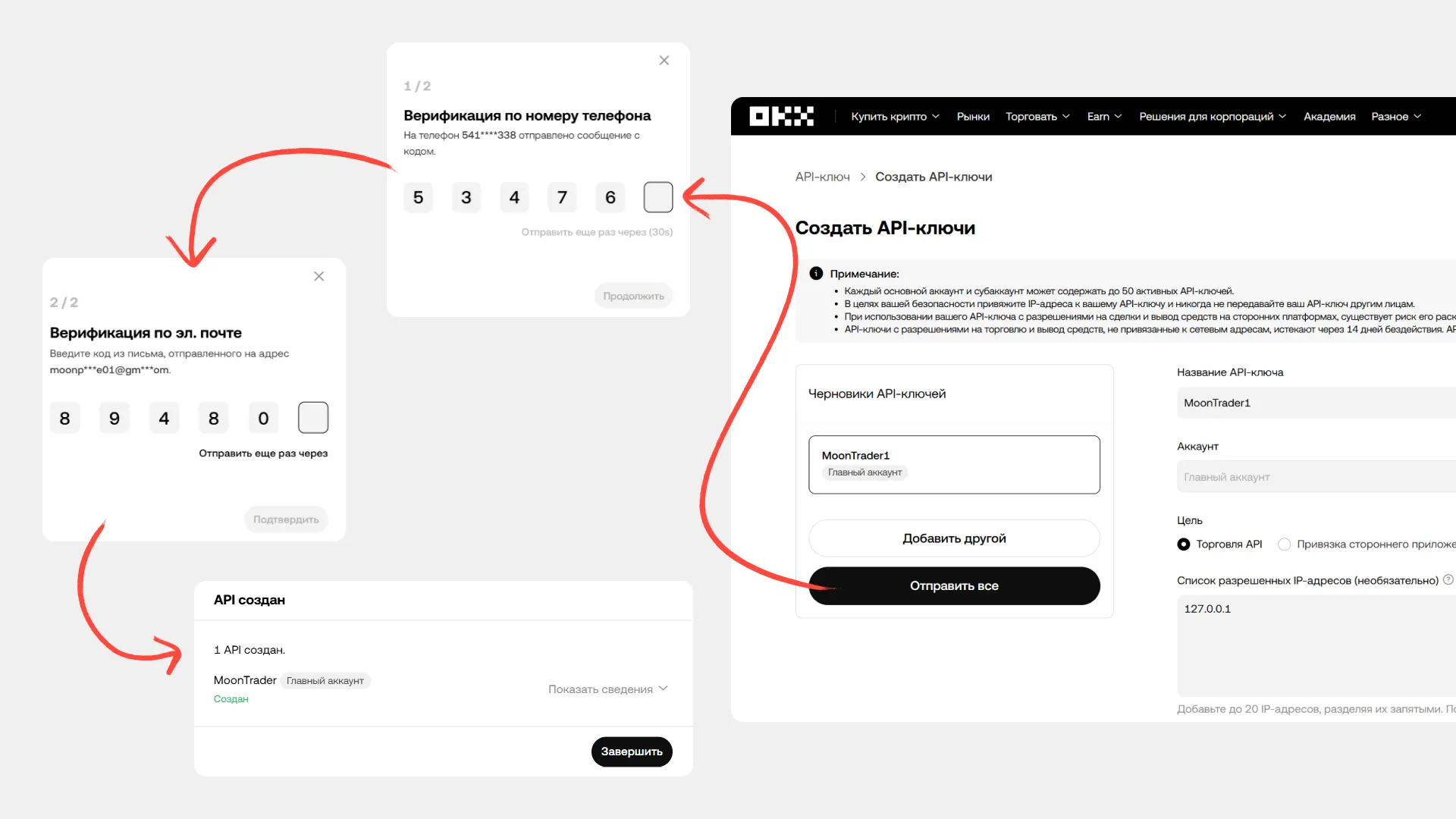
При создании ключа система пришлёт код подтверждения на телефон и почту.
{% endhint %}
#### Основной аккаунт
1. Войдите в аккаунт OKX
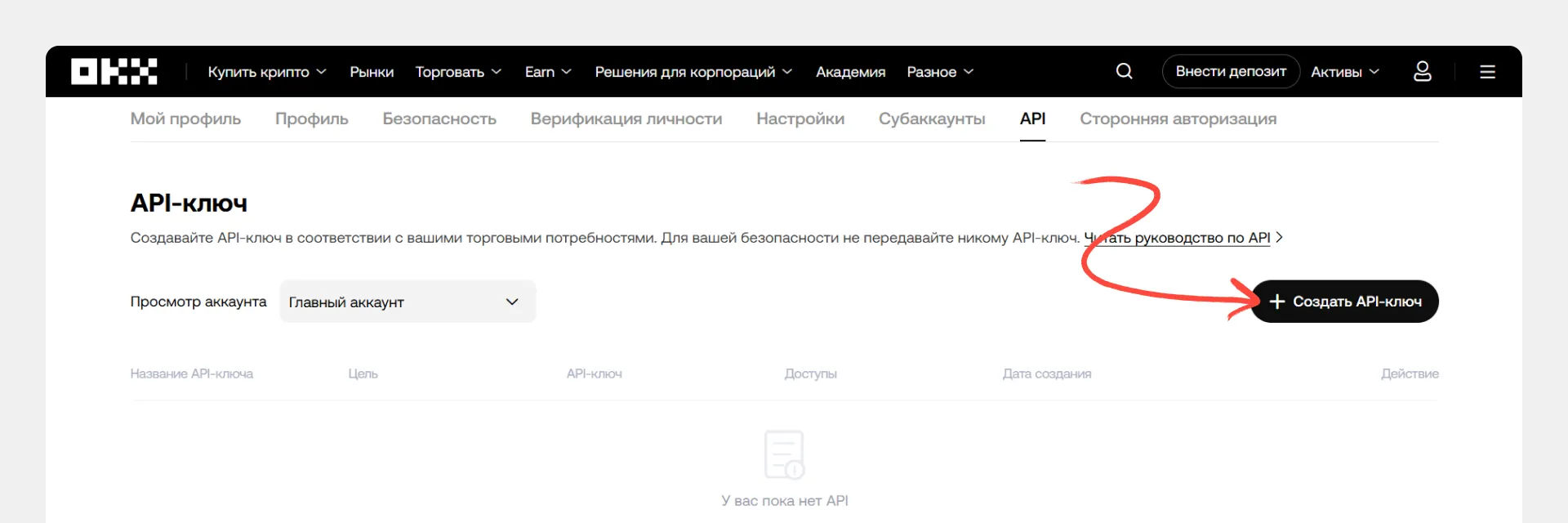
2. Перейдите в меню профиля → раздел «API»
3. Нажмите «Создать API ключ»
#### Настройка параметров
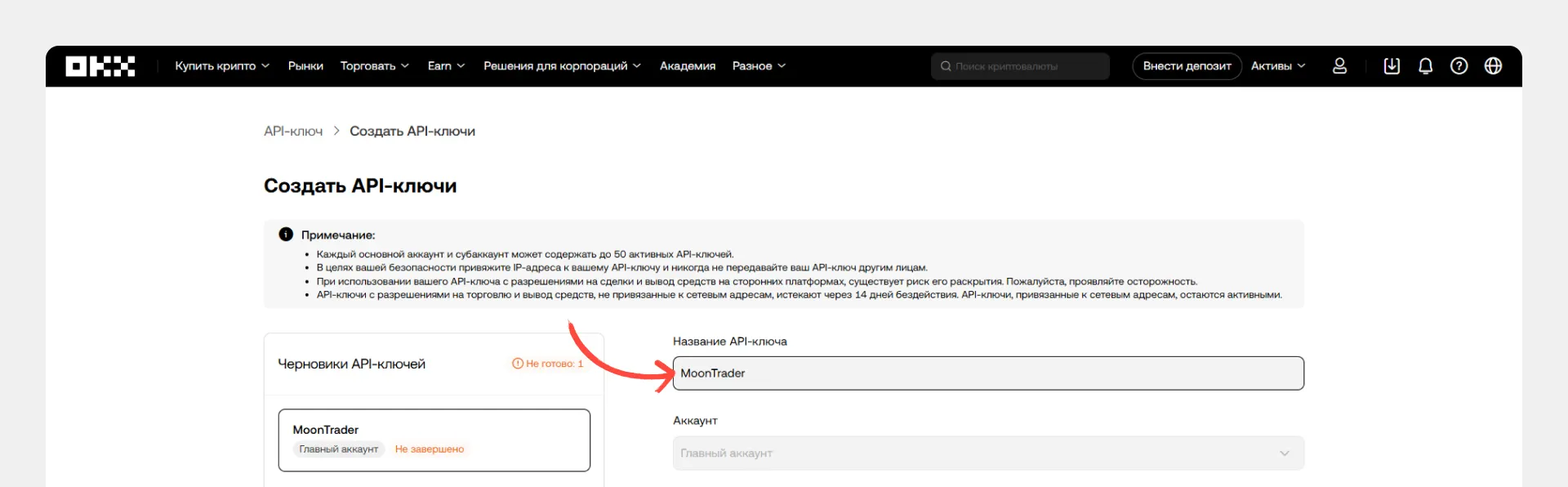
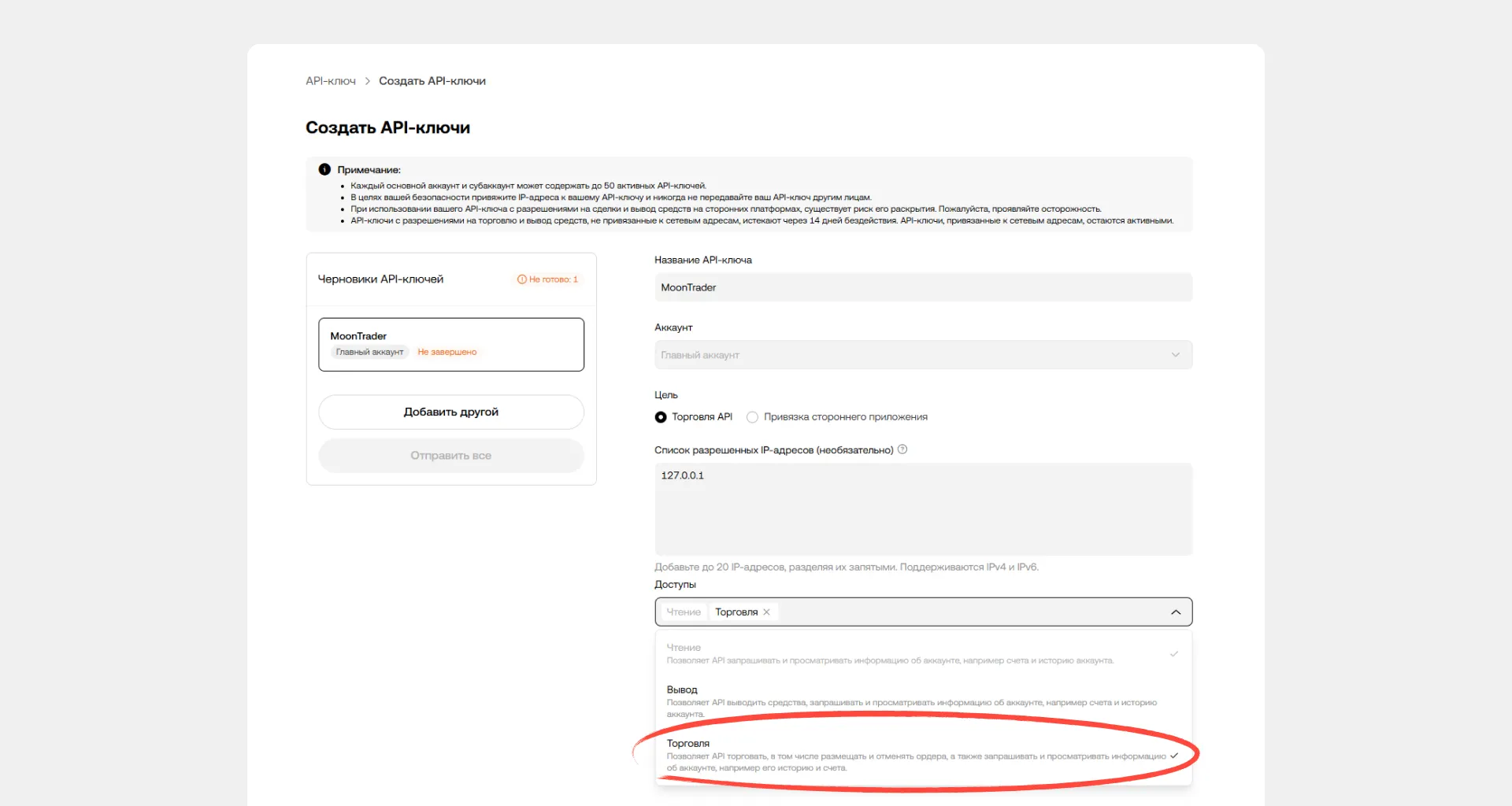
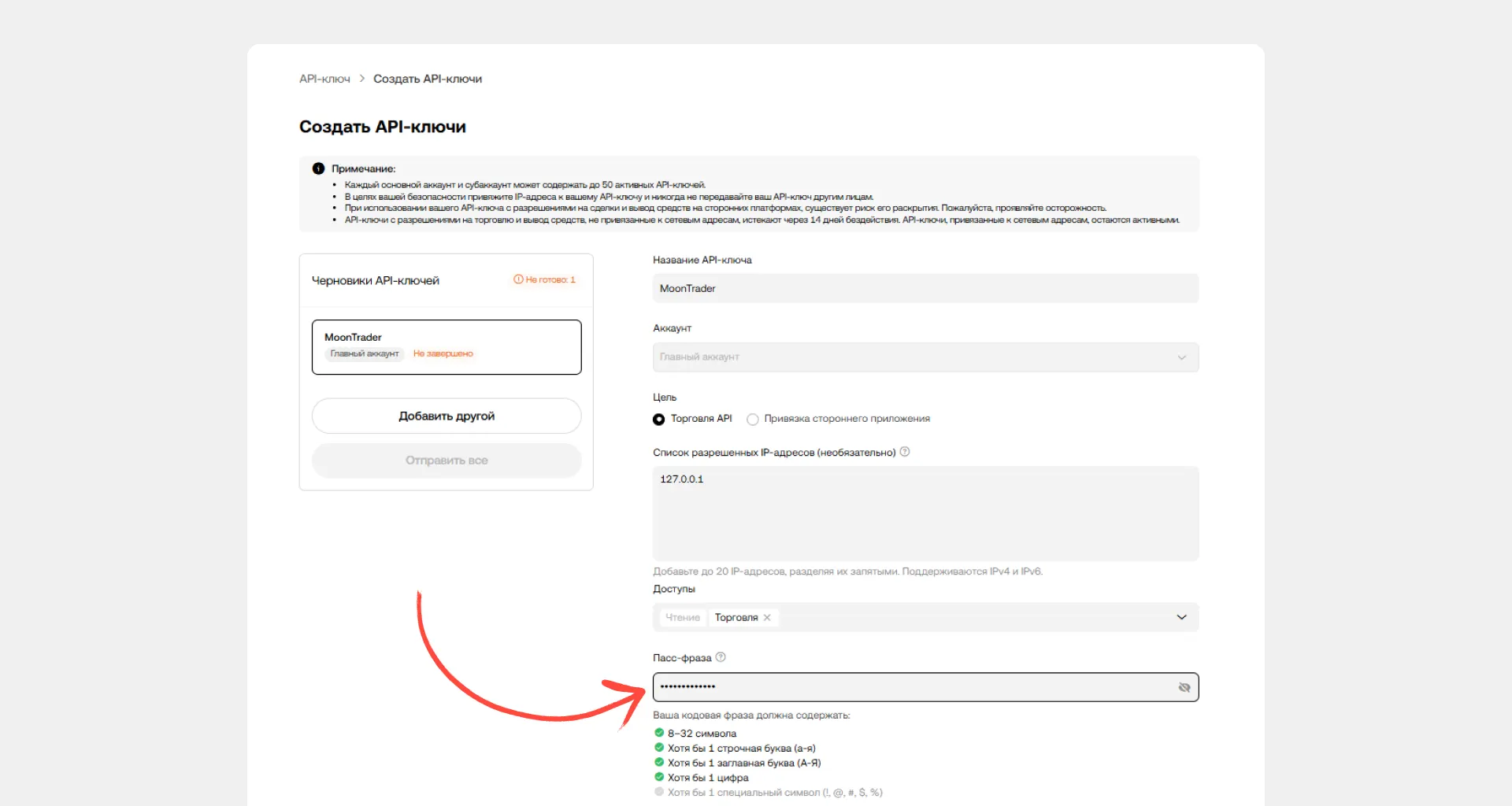
Заполните следующие поля:
* **Название:** укажите понятное имя (например, «MoonTrader»)
* **Цель:** Торговля API
* **Доступы:** Чтение и Торговля
* **Пароль (Passphrase):** придумайте уникальный пароль для ключа
#### Настройка белого списка IP (рекомендуется)
При создании API-ключей рекомендуется указать список разрешённых IP-адресов. Только устройства с указанными IP смогут использовать ключ — это защищает от несанкционированного доступа, даже если злоумышленник получит ваши ключи.
**Какие IP указывать:**
* IP сервера с ядром MoonTrader — откуда отправляются торговые запросы
* IP сервера с Watchdog — если используете систему мониторинга для нескольких аккаунтов
**Настройка:**
1. В поле «Список разрешённых IP-адресов» добавьте статический IP вашего сервера
2. Если используете Watchdog на отдельном сервере — добавьте также его IP
#### Подтверждение и сохранение
1. Подтвердите создание кодами из SMS и email
2. Сохраните **API-ключ, Secret и Passphrase** — они отображаются только один раз
#### Создание ключей для субаккаунтов
1. Выполните все шаги создания ключа, описанные выше
2. В поле «Аккаунт» выберите нужный субаккаунт вместо основного
3. Настройте параметры ключа аналогично основному аккаунту
---
# Agent Instructions
This documentation is published with GitBook. GitBook is the documentation platform designed so that both humans and AI agents can read, navigate, and reason over technical content effectively. Learn more at gitbook.com.
## Querying This Documentation
If you need additional information that is not directly available in this page, you can query the documentation dynamically by asking a question.
Perform an HTTP GET request on the current page URL with the `ask` query parameter, and the optional `goal` query parameter:
```
GET https://guide.moontrader.com/nachalo-raboty/rabota-s-birzhei/poluchenie-api-klyuchei-dlya-torgovli/poluchenie-api-klyuchei-dlya-okx.md?ask=&goal=
```
`ask` is the immediate question: it should be specific, self-contained, and written in natural language.
`goal` is optional and describes the broader end goal you are ultimately trying to accomplish on behalf of the user. GitBook uses it to tailor the answer towards what is most useful for that goal.
The response will contain a direct answer to the question and relevant excerpts and sources from the documentation.
Use this mechanism when the answer is not explicitly present in the current page, you need clarification or additional context, or you want to retrieve related documentation sections.