> For the complete documentation index, see [llms.txt](https://guide.moontrader.com/llms.txt). Markdown versions of documentation pages are available by appending `.md` to page URLs; this page is available as [Markdown](https://guide.moontrader.com/nachalo-raboty/rabota-s-birzhei/registraciya-na-birzhe/registraciya-na-okx.md).
# Регистрация на OKX
### OKX
🔗 **Сайт:** [okx.com](https://www.okx.com/join/MOONTRADER)
🎁 **Бонус:** при регистрации по нашей реферальной ссылке вы получаете лицензию MoonTrader **бесплатно**
🌐 **Расположение серверов:** Токио, Япония — размещайте VPS в этом регионе для минимальных задержек
#### Что потребуется для регистрации
Подготовьте заранее:
* **Номер телефона** — для подтверждения и дополнительной защиты аккаунта
* **Электронная почта** — рекомендуем Gmail или другой надёжный сервис
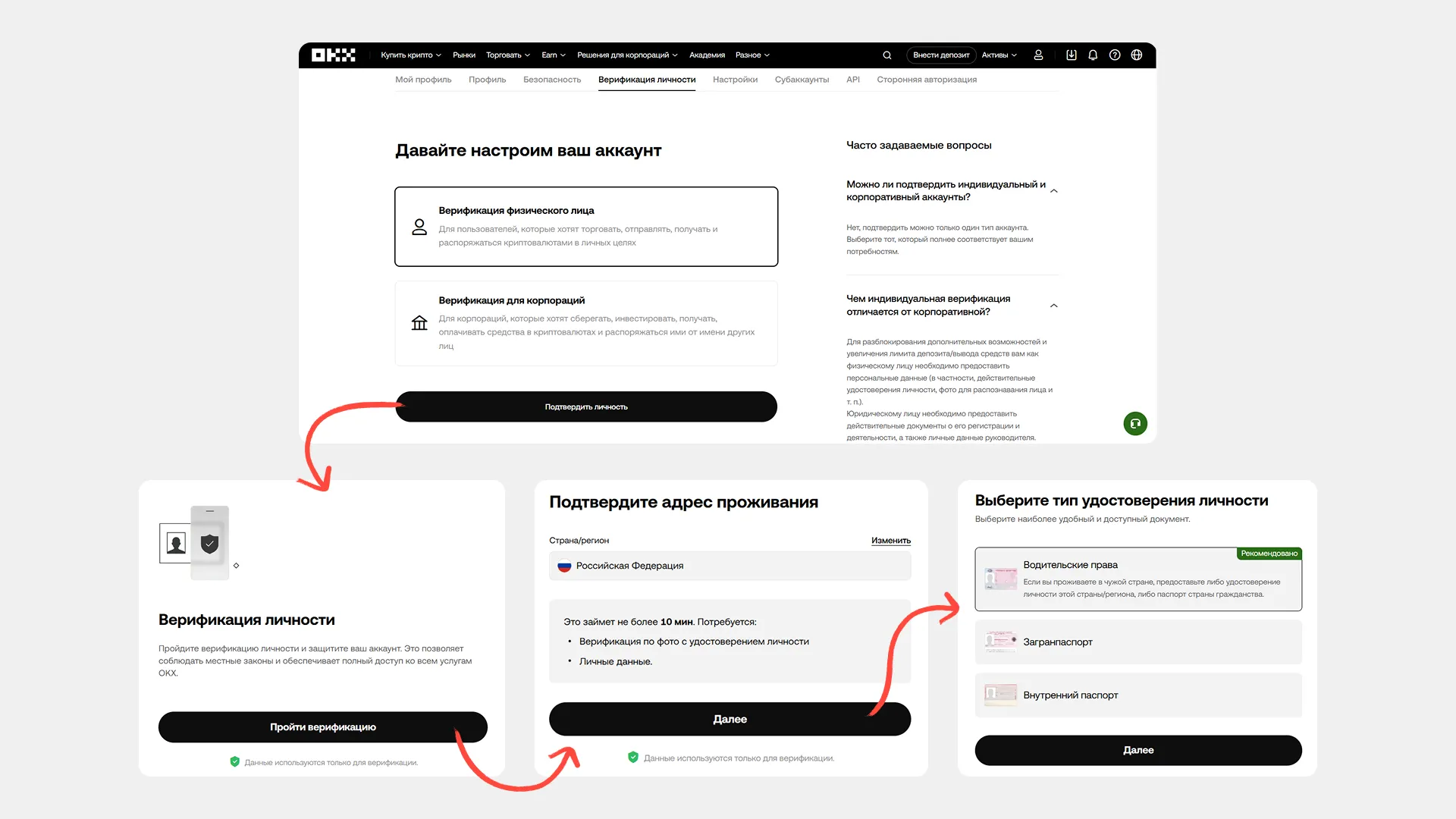
* **Документ, удостоверяющий личность** — паспорт или водительское удостоверение для верификации KYC
#### Регистрация
1. Перейдите на сайт по нашей [реферальной ссылке](https://www.okx.com/join/MOONTRADER)
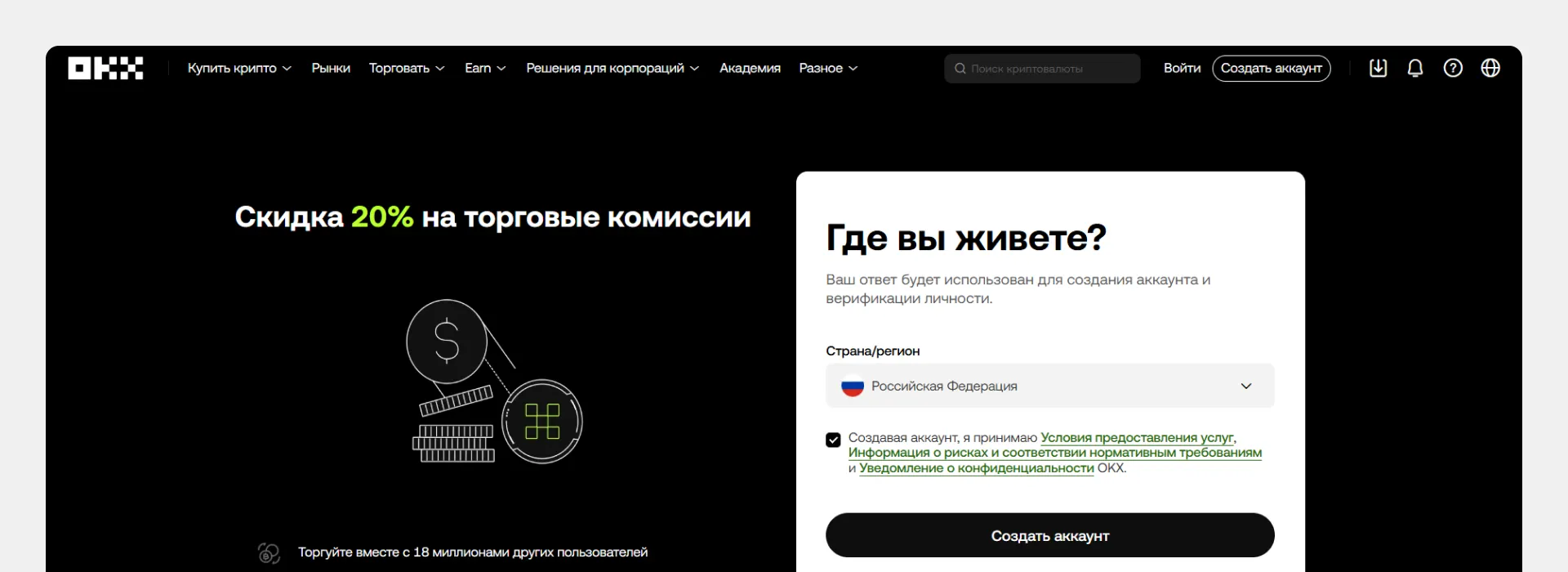
2. Выберите страну проживания
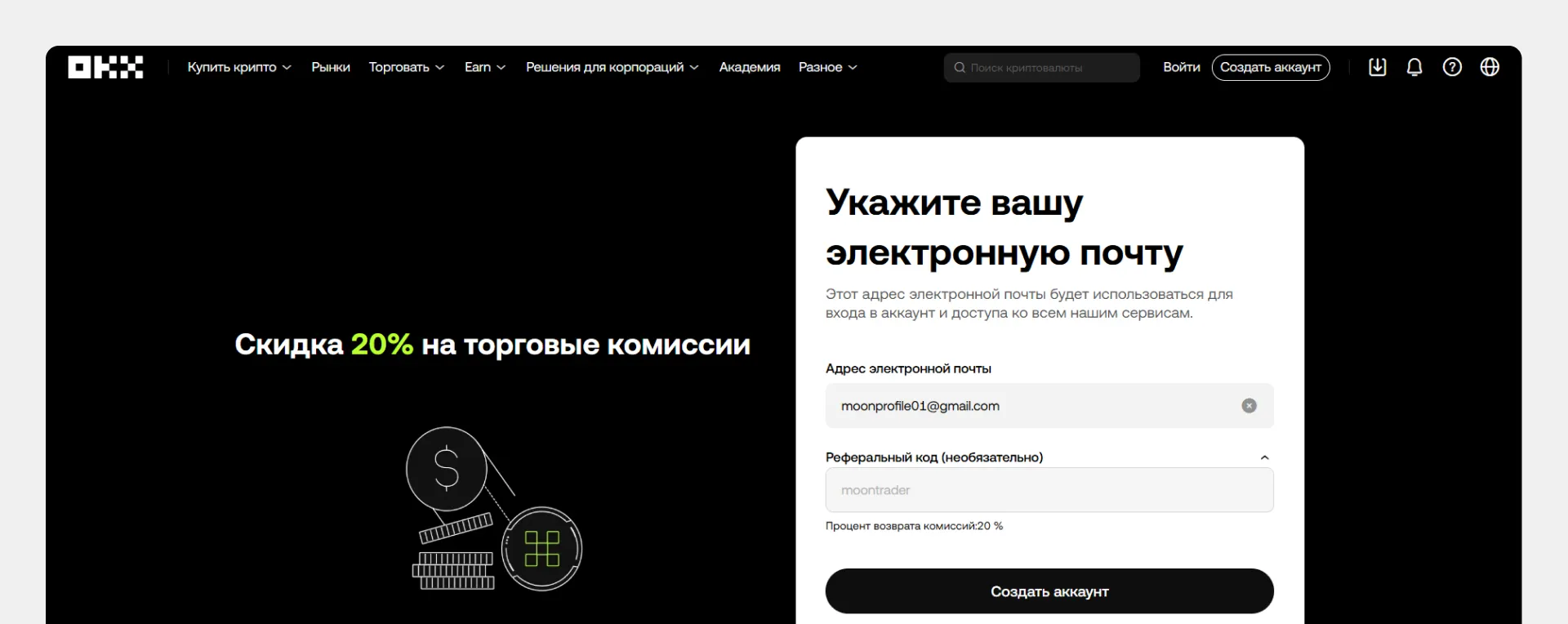
3. Введите email и реферальный код (автоматически заполнится при переходе по нашей ссылке)
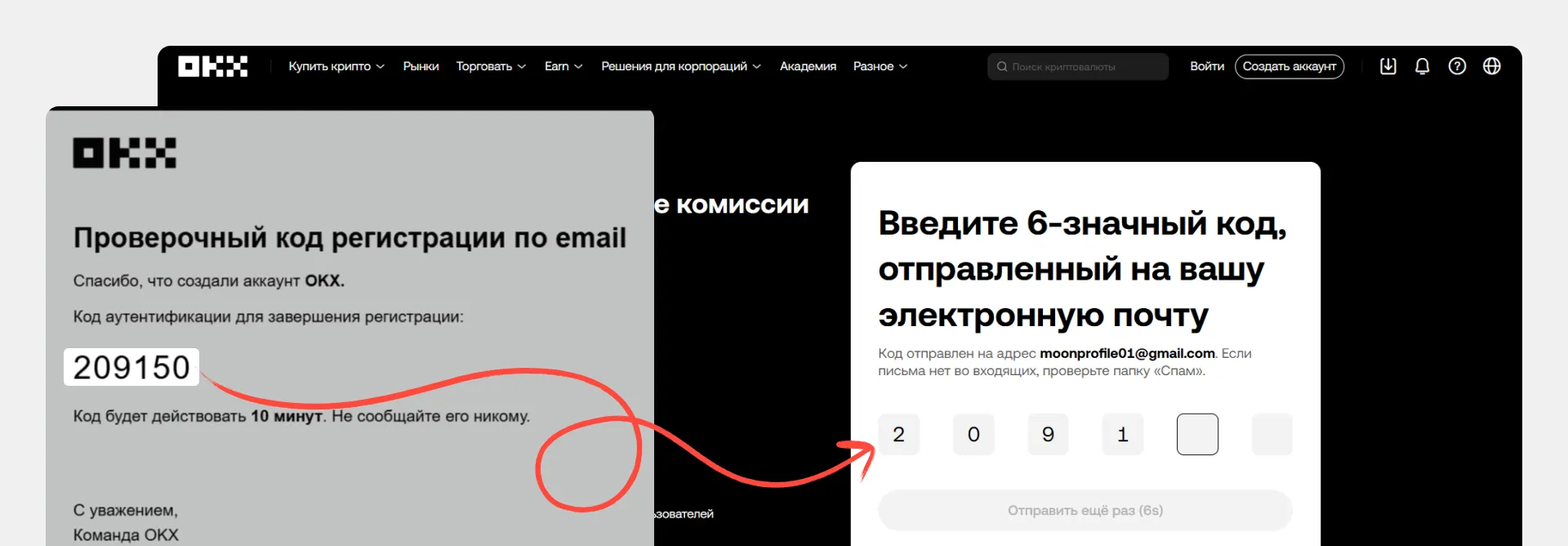
4. Подтвердите email кодом из письма
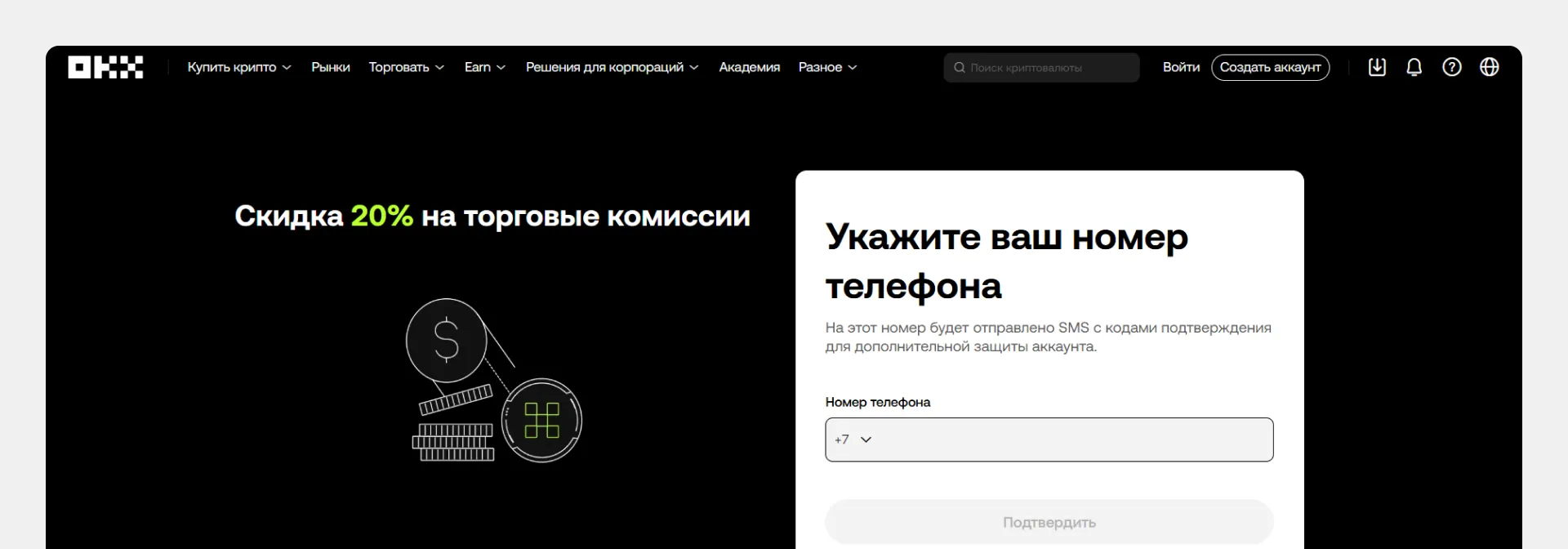
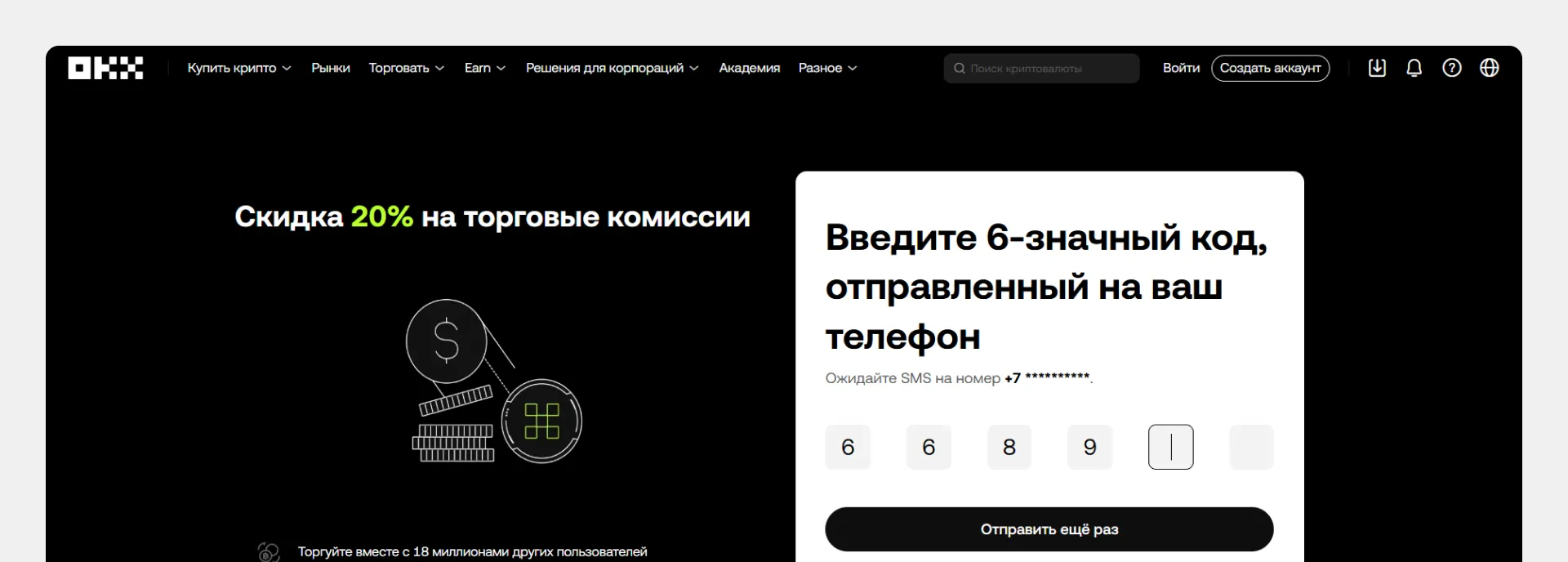
5. Введите номер телефона
6. Подтвердите номер телефона кодом из письма
7. Придумайте пароль
#### Верификация (KYC)
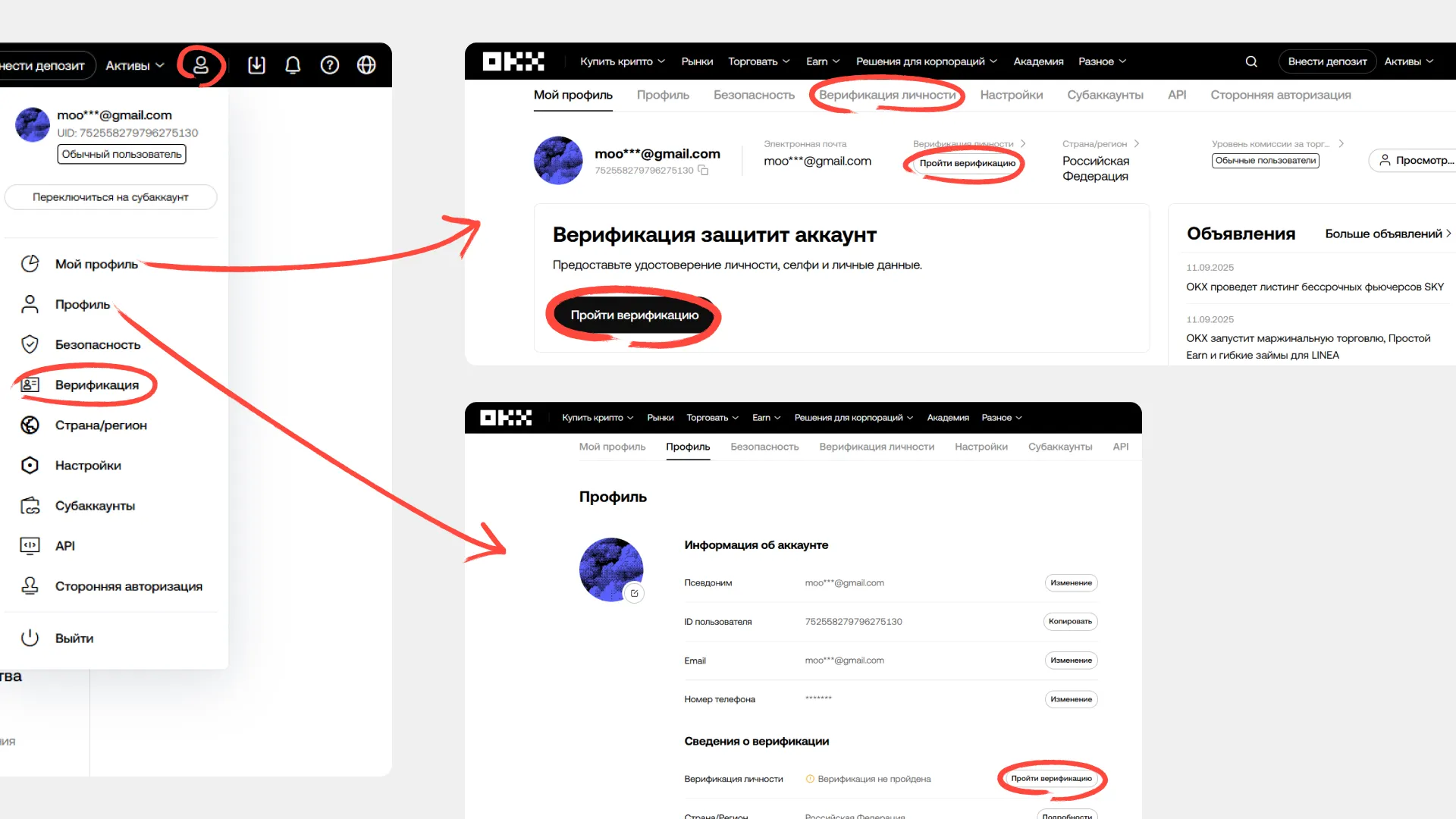
После завершения регистрации система предложит пройти верификацию. Нажмите «Пройти верификацию» и следуйте инструкциям на сайте.
**Если вы закрыли окно верификации:** найти её можно нажав на «Верификация» в выпадающем меню иконки профиля.
Процесс верификации различается для разных стран. Следуйте пошаговым инструкциям на сайте OKX.
---
# Agent Instructions
This documentation is published with GitBook. GitBook is the documentation platform designed so that both humans and AI agents can read, navigate, and reason over technical content effectively. Learn more at gitbook.com.
## Querying This Documentation
If you need additional information that is not directly available in this page, you can query the documentation by asking a question.
Perform an HTTP GET request on the following URL with the `ask` and `goal` query parameters:
```
GET https://guide.moontrader.com/nachalo-raboty/rabota-s-birzhei/registraciya-na-birzhe/registraciya-na-okx.md?ask=&goal=
```
`ask` is the immediate question: it should be specific, self-contained, and written in natural language.
`goal` is what the user is ultimately trying to achieve, the reason they need the answer. Sharing it helps GitBook give you a better, more relevant answer. A goal is most helpful when it describes the outcome the user wants rather than restating the question. For example, with `ask=how do I create an API token`, a goal like `automate deployments from our CI pipeline` lets GitBook tailor the answer to that use case.
The response will contain a direct answer to the question and relevant excerpts and sources from the documentation.
Use this mechanism when the answer is not explicitly present in the current page, you need clarification or additional context, or you want to retrieve related documentation sections.