> For the complete documentation index, see [llms.txt](https://guide.moontrader.com/llms.txt). Markdown versions of documentation pages are available by appending `.md` to page URLs; this page is available as [Markdown](https://guide.moontrader.com/nachalo-raboty/rabota-s-moontrader.com/poluchenie-licenzii.md).
# Получение лицензии
## Создание лицензии MoonTrader
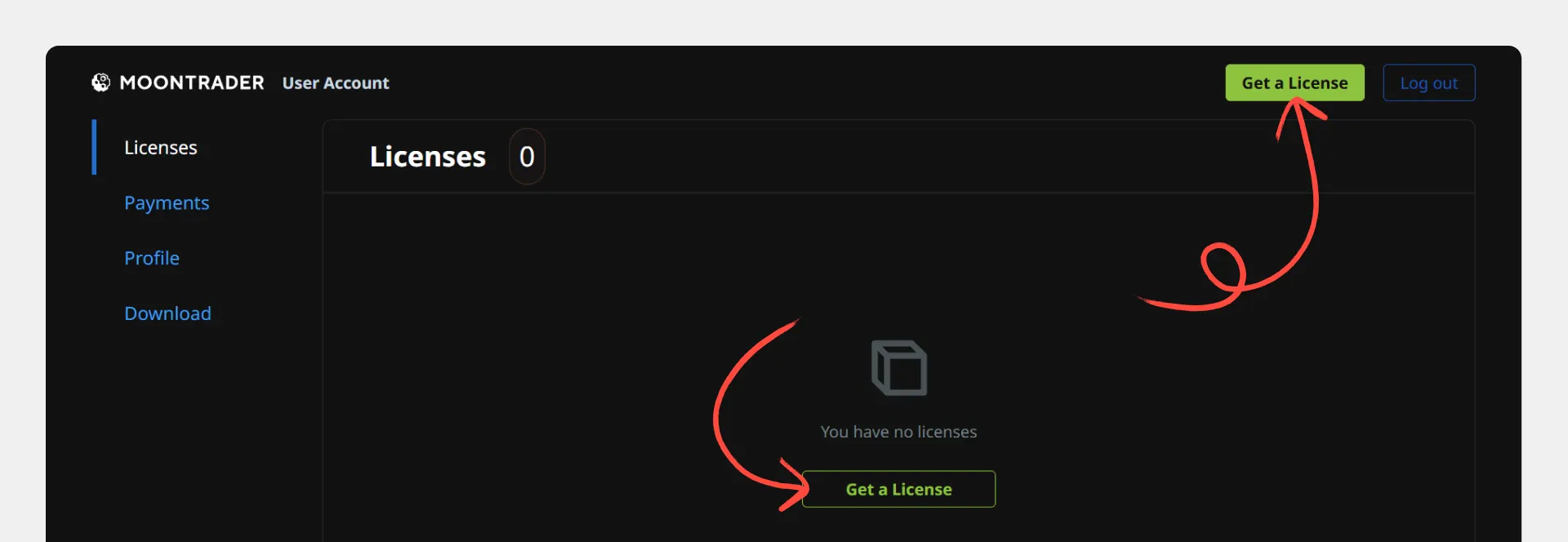
Для работы с терминалом MoonTrader необходимо создать лицензию в личном кабинете.
Лицензия определяет, с какой биржей вы будете работать и какие ограничения действуют для вашего аккаунта.
### Типы лицензий
В зависимости от ваших торговых потребностей доступны разные типы лицензий:
| Тип лизензии | Одновременных ордеров | Размер ордера | Максимум средств в МТ | Стоимость |
| ------------ | --------------------- | --------------- | --------------------- | ---------- |
| Free | 2 | $20 | $300 | Бесплатно |
| Basic | 10 | $200 | $10,000 | $20/месяц |
| Regular | 100 | $1,000 | $200,000 | $50/месяц |
| Pro | Без ограничений | Без ограничений | Без ограничений | $100/месяц |
### Как получить безлимитную лицензию бесплатно
Если вы зарегистрировались на бирже по нашей реферальной ссылке, вы можете получить безлимитную лицензию бесплатно.
#### Для Binance (основной и субаккаунты)
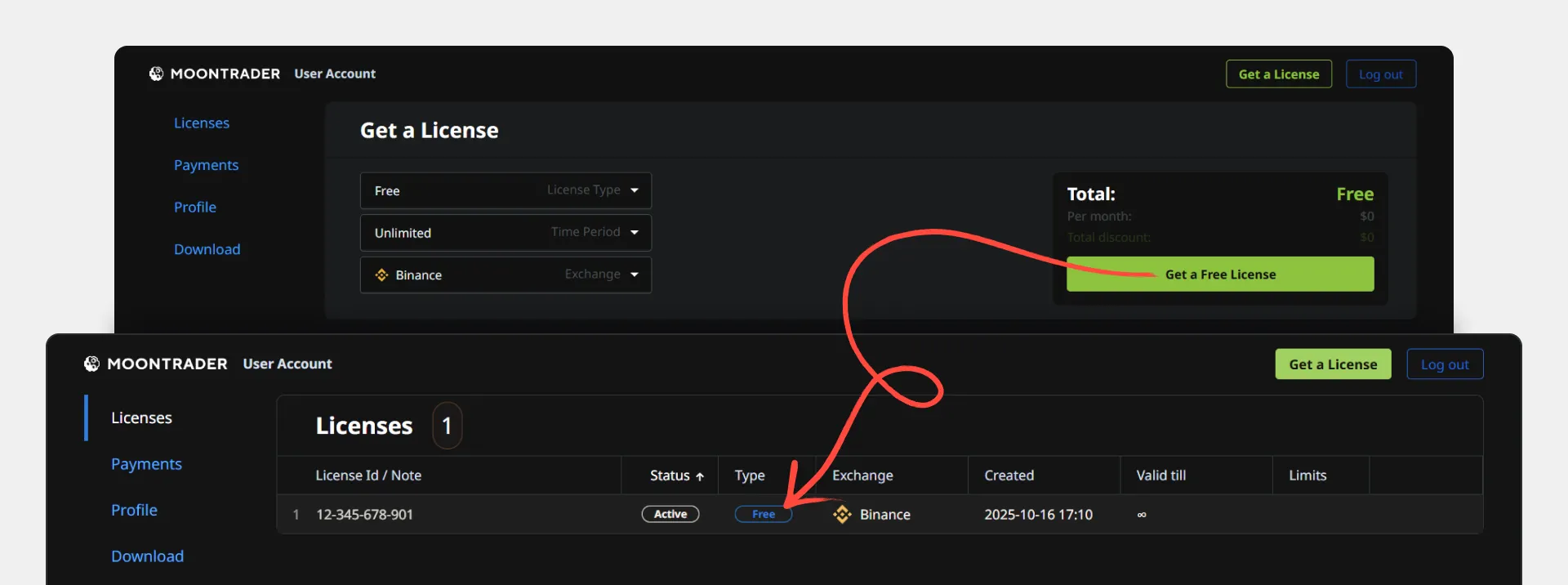
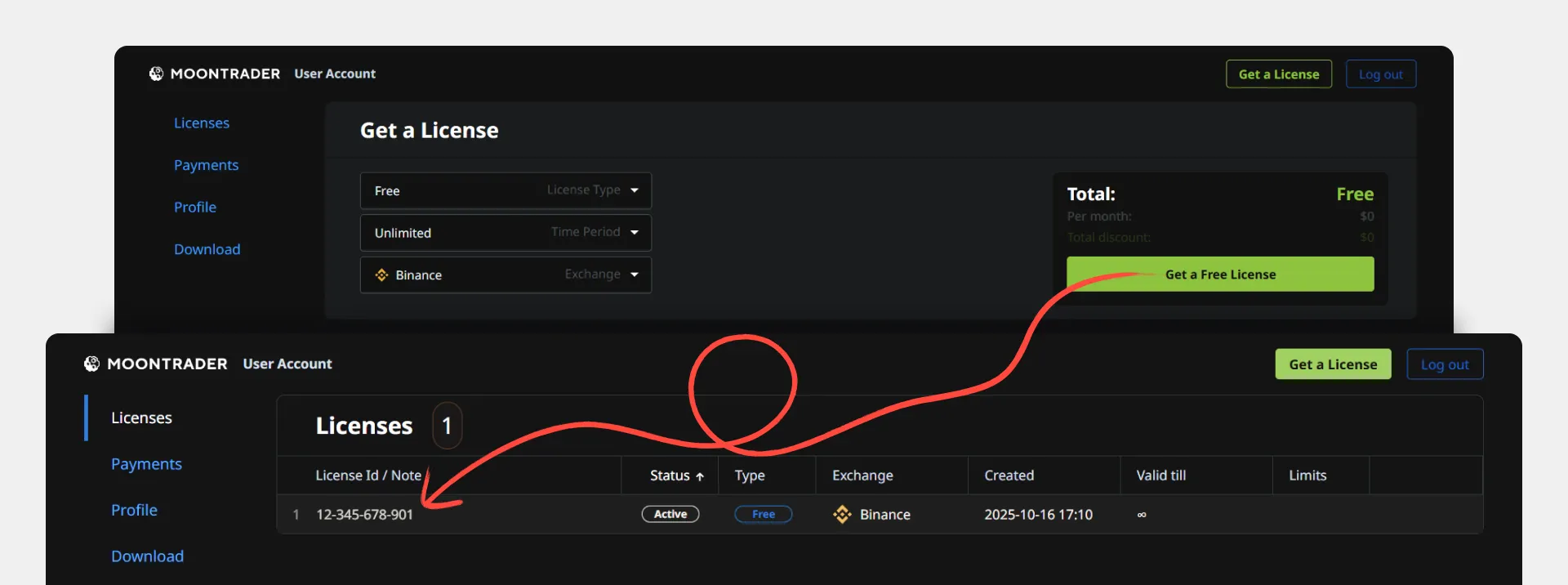
1. **Создайте Free лицензию BINANCE** в [личном кабинете](https://account.moontrader.com/licenses)
2. **Запустите ядро** с API-ключами от проверяемого аккаунта
3. **Подождите 10-30 минут**, затем перезапустите ядро и клиент
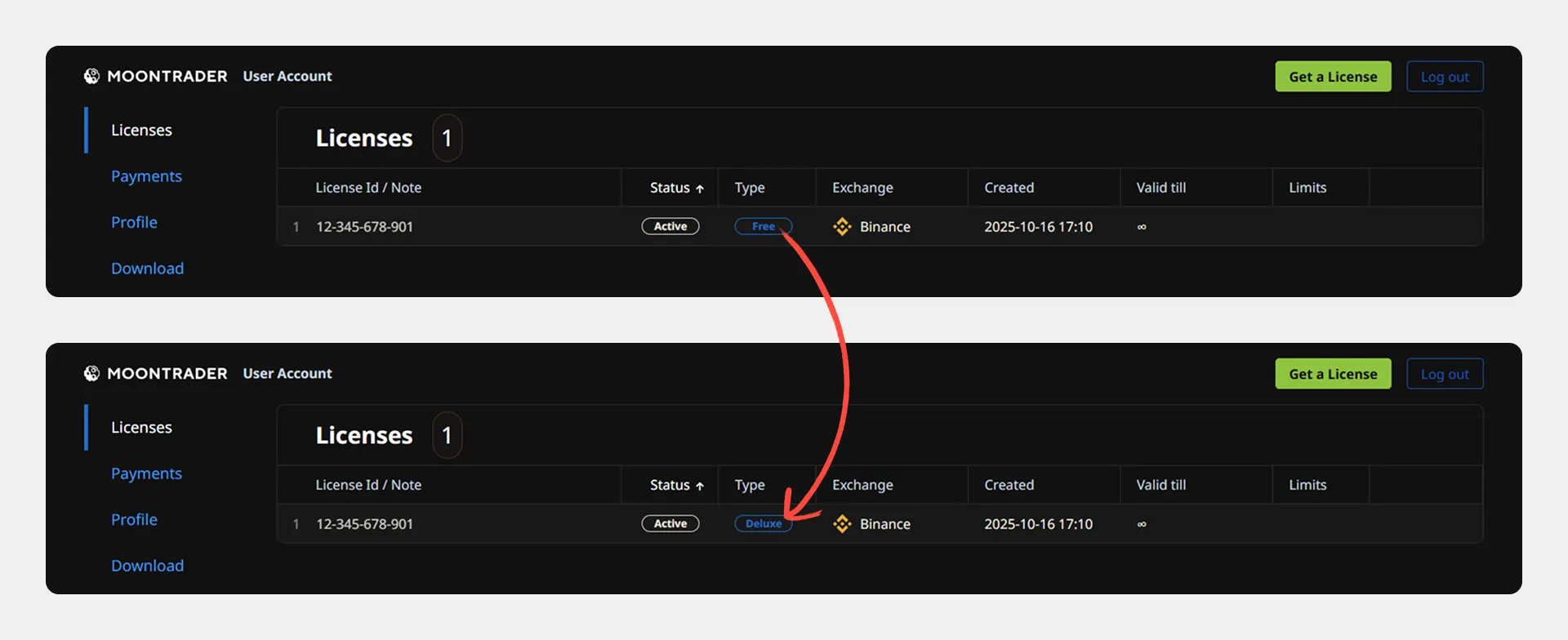
4. **Обновите страницу с лицензиями** — проверьте изменение типа:
* **Deluxe** — вы наш реферал, получили безлимитную лицензию
* **Grand** — аккаунт без реферера, также получили безлимитную лицензию
* **Free** — аккаунт другого реферера, потребуется покупка лицензии
#### Для Bybit (проверка на основном аккаунте)
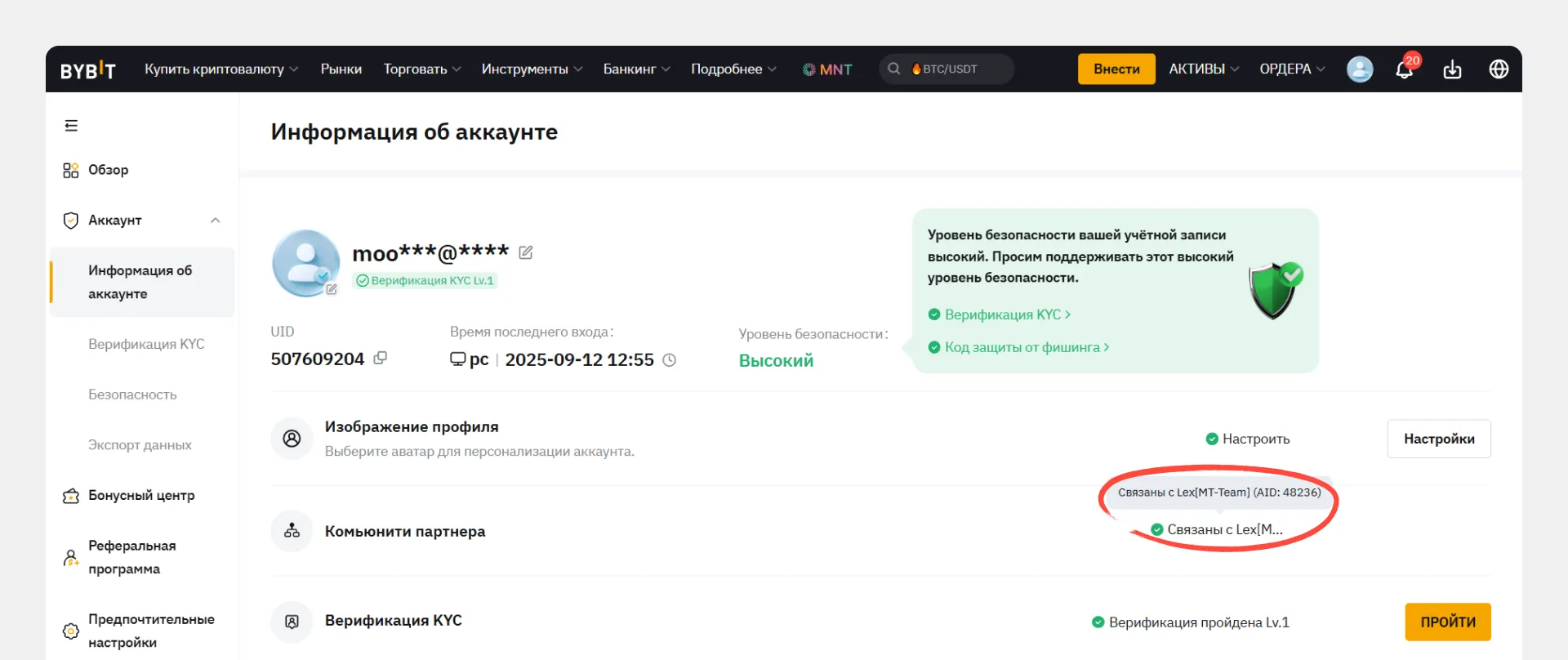
1. **Проверьте реферера** по [этой инструкции](https://www.moontrader.com/ru/blog/how-to-check-which-referral-link-your-bybit-account-is-registered-under)
* Если видите символы «MT-Team» — переходите к шагу 2
* Если нет — [смените реферера](https://www.moontrader.com/ru/blog/how-to-change-your-referrer-on-bybit) и повторите проверку
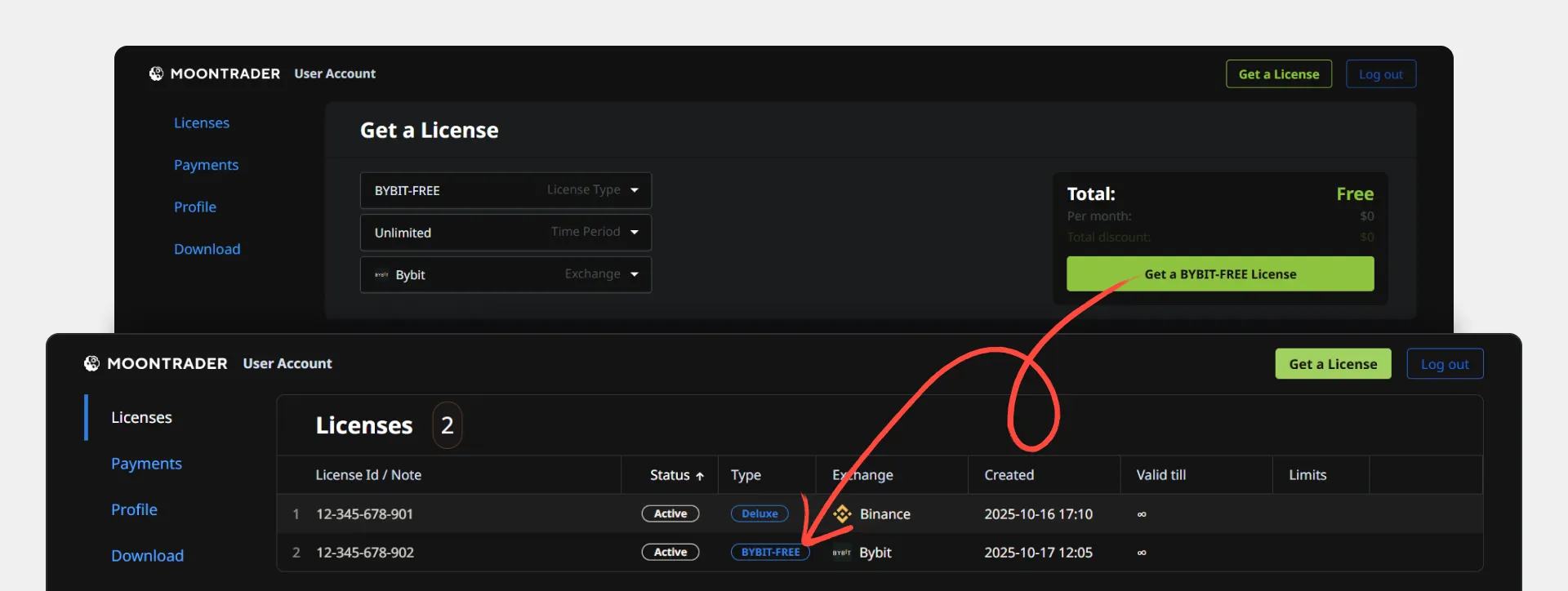
2. **Создайте Free лицензию BYBIT** в [личном кабинете](https://account.moontrader.com/licenses)
3. **Запустите ядро** с API-ключами от проверяемого аккаунта
4. **Подождите 10-30 минут**, перезапустите ядро и клиент
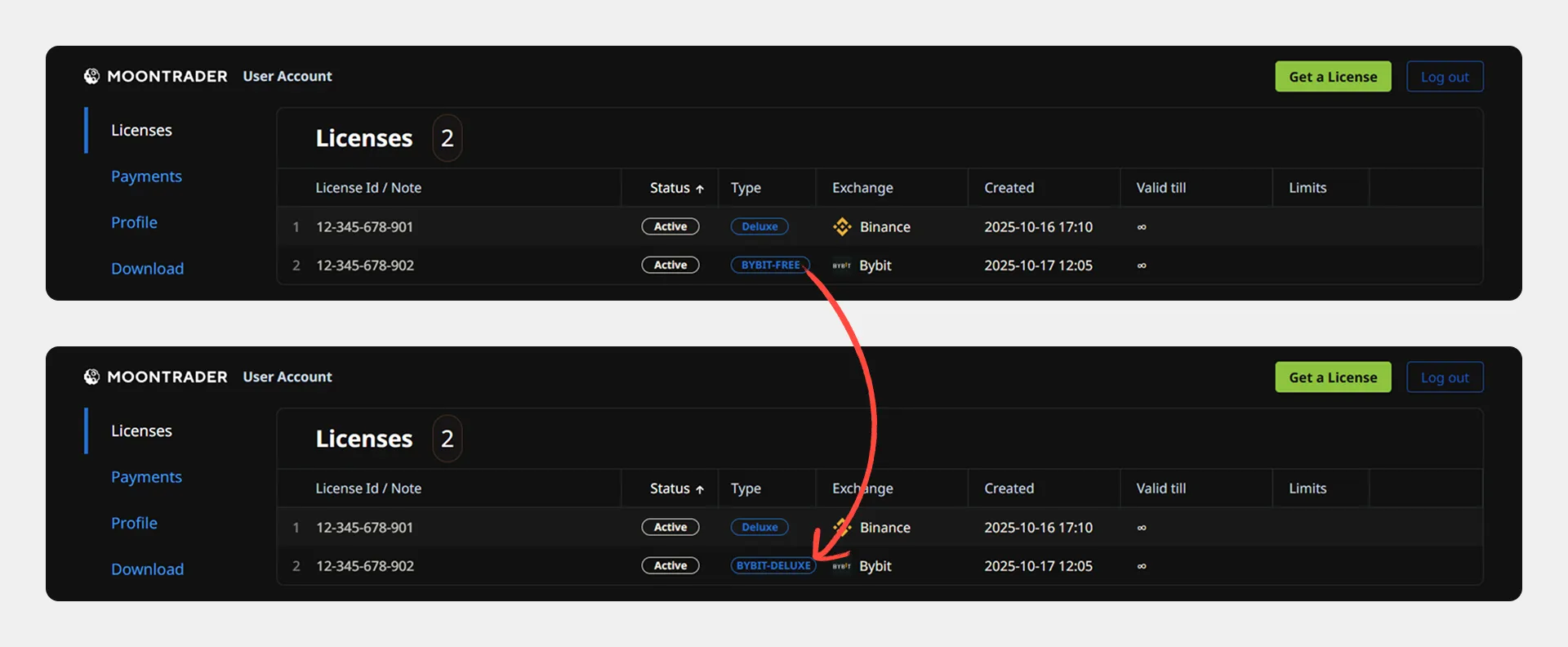
5. **Проверьте изменение лицензии**:
* **BYBIT-Deluxe** — готово, безлимитная лицензия активна
* **Free** — смена не произошла, требуется покупка или повторная [смена реферера](https://www.moontrader.com/ru/blog/how-to-change-your-referrer-on-bybit)
Особый случай: если видите BYBIT-PRO-Legacy и вы наш реферал:
1. Нажмите на лицензию → «Change type» → «Free»
2. Перезапустите ядро и подождите 30 минут
3. После смены на BYBIT-Deluxe перезапустите ядро еще раз
### Создание обычной лицензии
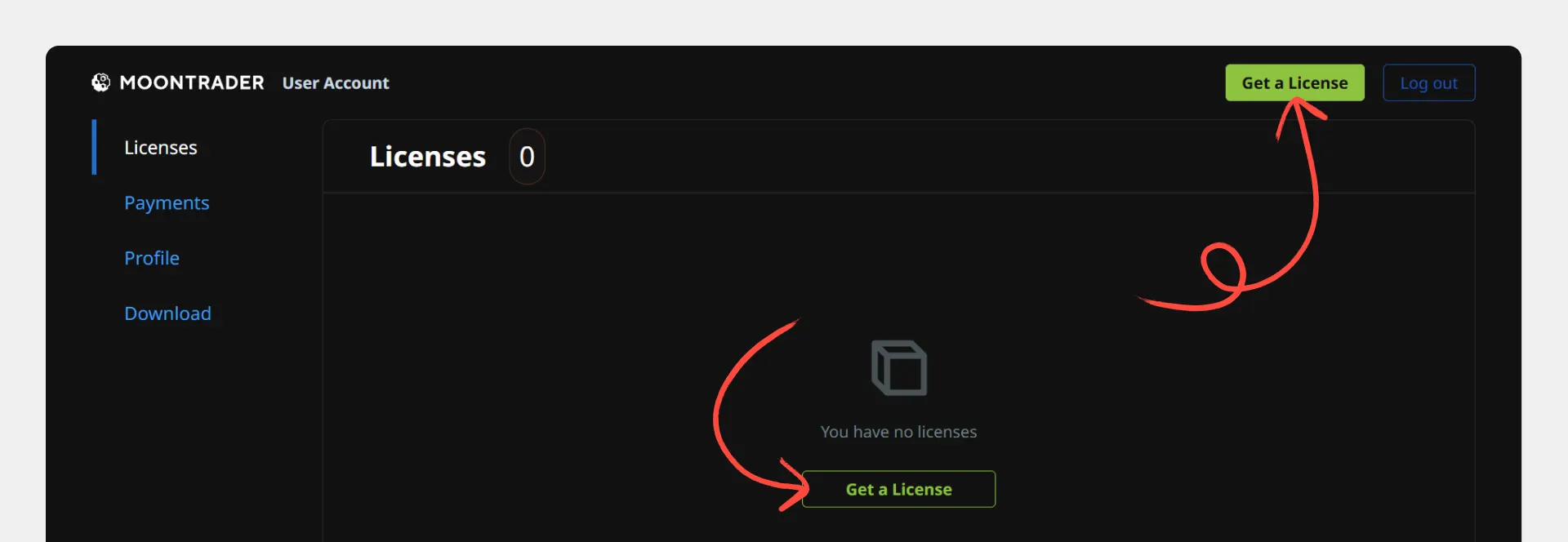
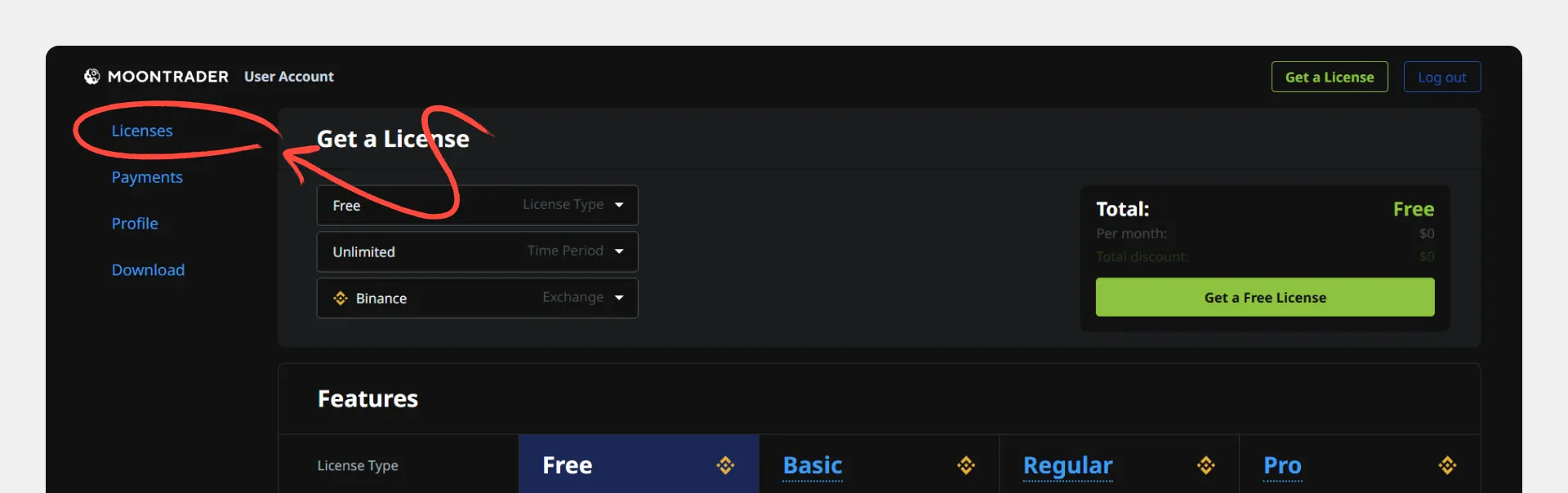
1. В личном кабинете нажмите кнопку «Get a License»
2. Выберите подходящий тип лицензии
3. Проверьте правильность заполнения всех полей
4. Нажмите «Get a Free License» или выберите платную лицензию
### Получение данных для активации
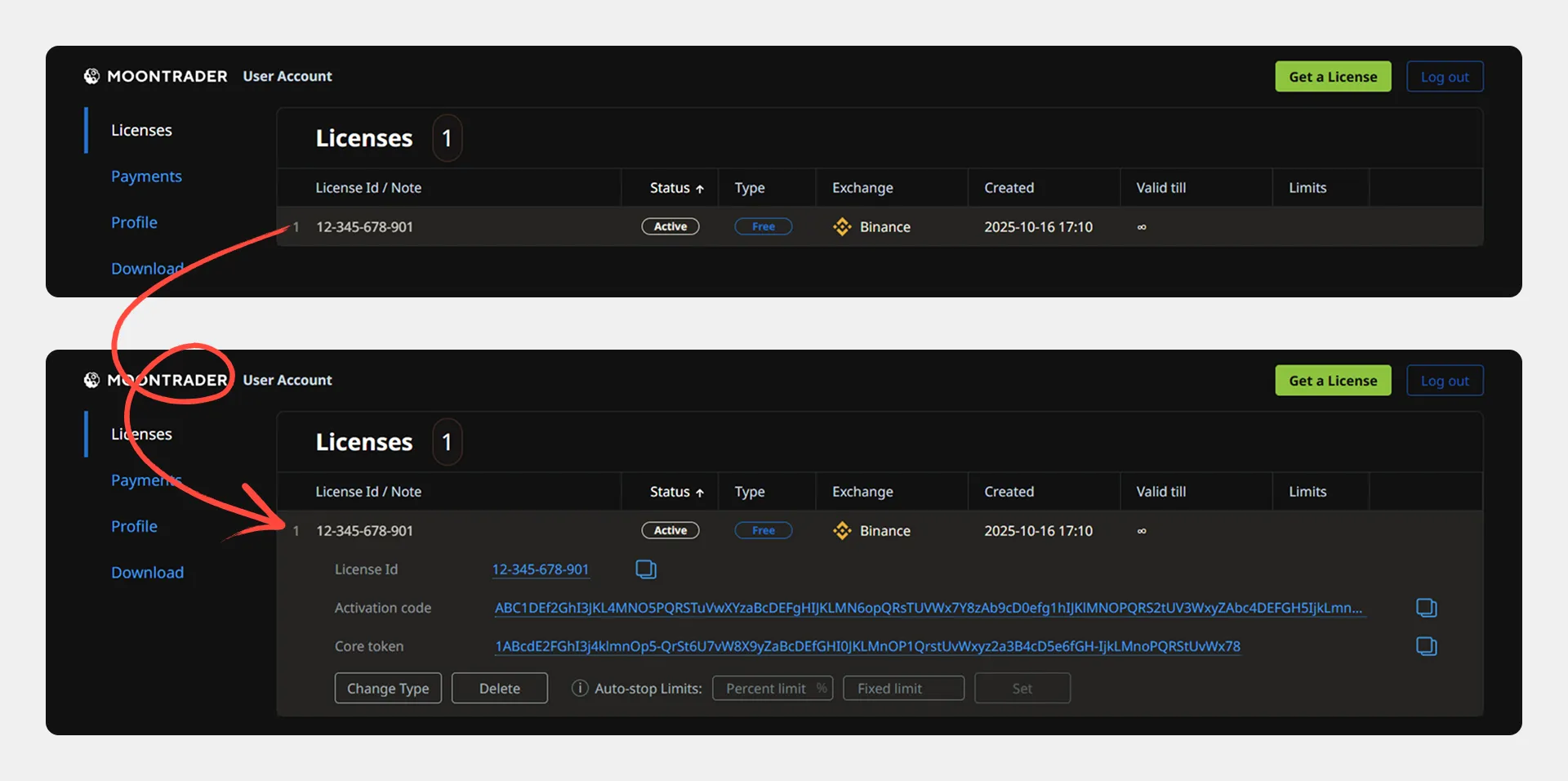
1. Перейдите в раздел «Licenses»
2. Нажмите на строку созданной лицензии — она развернется
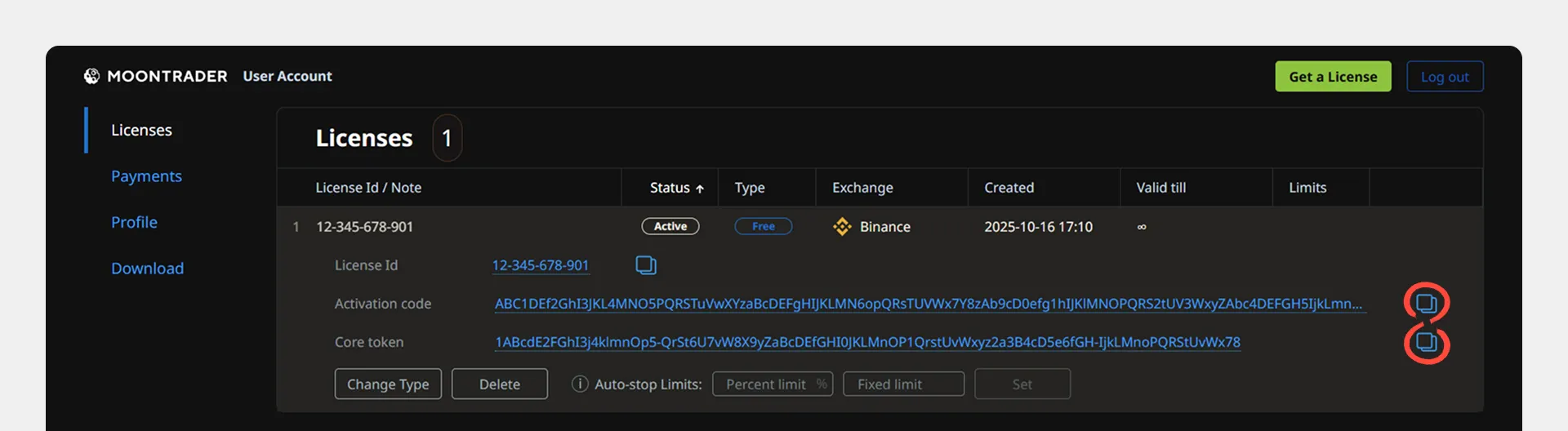
3. Скопируйте и сохраните:
* **Activation code** — код активации лицензии
* **Core token** — токен для подключения ядра
Эти данные понадобятся при установке и настройке терминала.
**Если остались вопросы — обращайтесь в** [**поддержку**](https://t.me/moontrader_support_ru)**!**
---
# Agent Instructions
This documentation is published with GitBook. GitBook is the documentation platform designed so that both humans and AI agents can read, navigate, and reason over technical content effectively. Learn more at gitbook.com.
## Querying This Documentation
If you need additional information that is not directly available in this page, you can query the documentation dynamically by asking a question.
Perform an HTTP GET request on the current page URL with the `ask` query parameter, and the optional `goal` query parameter:
```
GET https://guide.moontrader.com/nachalo-raboty/rabota-s-moontrader.com/poluchenie-licenzii.md?ask=&goal=
```
`ask` is the immediate question: it should be specific, self-contained, and written in natural language.
`goal` is optional and describes the broader end goal you are ultimately trying to accomplish on behalf of the user. GitBook uses it to tailor the answer towards what is most useful for that goal.
The response will contain a direct answer to the question and relevant excerpts and sources from the documentation.
Use this mechanism when the answer is not explicitly present in the current page, you need clarification or additional context, or you want to retrieve related documentation sections.